This Coddy review evaluates whether Coddy.tech (the gamified, in-browser “Duolingo for coding”) justifies its paid plans for beginner programmers in 2026. After hands-on testing across Python, Web Development, and Rust tracks, I found that Coddy excels at habit formation and syntax logic through zero-setup micro-lessons.
Key Takeaway
- Bottom-line verdict
→ Coddy.tech is an excellent, low-friction platform for absolute beginners to overcome coding intimidation and build a daily practice streak, making it well worth using for foundational syntax and logic. - Best feature
→ Zero-setup, in-browser code execution across 19+ languages lets you write code and receive instant unit-test feedback without dealing with complex local IDE configurations. - Free tier limitation
→ The free plan relies on a strict stamina-based energy system that caps practice sessions to roughly 5 to 10 minutes per day, making an upgrade necessary for serious, uninterrupted study. - Pricing and value:
While Pro costs
→ 15/month,theone−time Lifetime License
→ 15/month,theone−time Lifetime License (112 to $150) offers exceptional long-term ROI, paying for itself in under eight months compared to recurring competitors like Codecademy.
Is Coddy.tech Worth It?
Before analyzing the curriculum and compiler mechanics in detail, it helps to understand where Coddy.tech shines and where its limitations become apparent. I evaluated the platform across five core pillars based on continuous daily testing alongside verified feedback from over 4,000 reviews on Trustpilot, where Coddy maintains an impressive 4.9 out of 5 rating.
Coddy.tech is one of the most frictionless platforms available for absolute beginners to conquer coding intimidation and build a daily programming habit. Its in-browser execution, immediate automated feedback, and psychological streak mechanics make practicing syntax remarkably enjoyable. However, its free tier energy system restricts study sessions to roughly 5 to 10 minutes per day, and the platform stops well short of teaching real-world software engineering practices like version control, local debugging, or full-stack application deployment.
| Evaluation Metric | Score | My Practical Take |
|---|---|---|
| Gamification & Habit Building | 4.8 / 5.0 | Best-in-class streak mechanics that make daily 15-minute practice effortless. |
| Platform Usability | 4.7 / 5.0 | Instant zero-setup in-browser editor across desktop and mobile browsers. |
| Curriculum Breadth | 4.3 / 5.0 | Expansive catalog spanning 19+ languages and over 120 interactive courses. |
| Real-World Project Depth | 3.5 / 5.0 | Excellent for syntax and algorithmic logic, but lacks complex multi-file projects. |
| Value for Money | 4.5 / 5.0 | Free tier is heavily throttled, but the one-time Lifetime License is an incredible deal. |
| Overall Score | 4.3 / 5.0 | Top Pick for Habit-Building & Beginners Overcoming Coding Fear |
What Is Coddy.tech?
To understand why Coddy.tech has gained rapid popularity, you have to look at how traditional computer science education often fails self-taught learners. Industry onboarding surveys consistently show that over 60% of beginners abandon self-paced programming courses early, not because coding logic is impossible to grasp, but because configuring path variables, local interpreters, and complex software editors creates immediate cognitive overload.
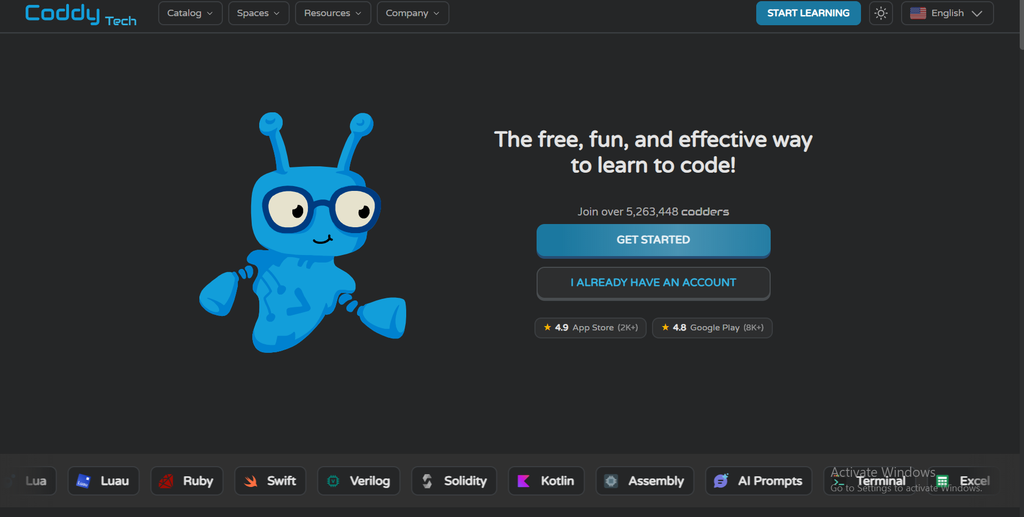
Coddy.tech positions itself as the duolingo for coding, stripping away all local environment setup by hosting interactive compilers directly inside your web browser and mobile app. Founded on the principle of active micro-learning, Coddy presents bite-sized instructional concepts followed immediately by an executable code challenge. Instead of watching an instructor code for twenty minutes, you read two or three sentences of theory and immediately write functional code to pass automated unit tests.
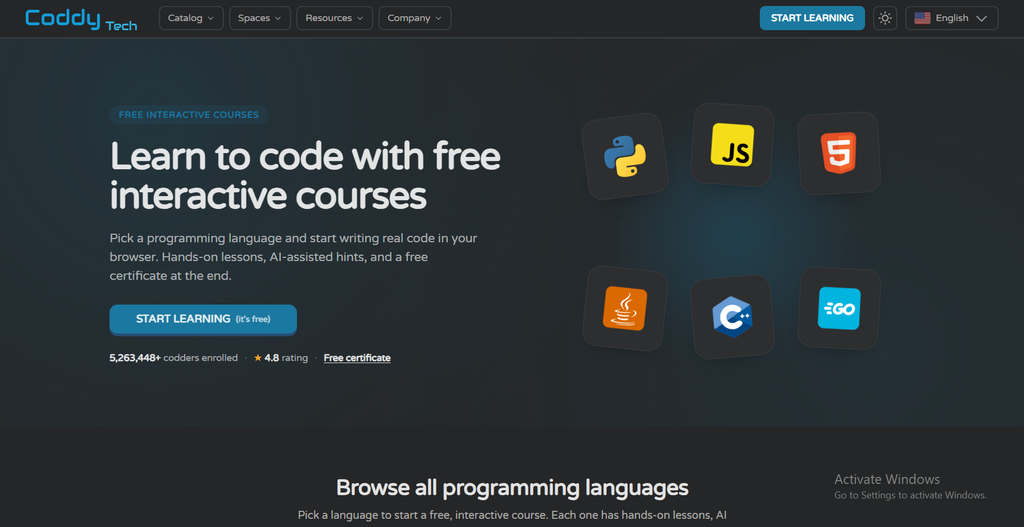
The platform currently supports over 19 languages across more than 120 specialized tracks, ranging from core staples like Python, JavaScript, TypeScript, HTML, CSS, and SQL to systems programming in C++, C#, Java, Go, and Rust. It also includes modern productivity tracks focused on terminal commands, Bash scripting, and AI Prompt Engineering, making it an accessible sandbox for diverse technical curiosities.
Hands-On Experience: How Learning on Coddy Actually Works
To test Coddy’s claims, I created a fresh account and worked through multiple beginner and intermediate modules. The learning loop is simple, fast-paced, and highly engaging, though it comes with minor quirks that experienced developers will notice quickly.
The In-Browser Code Runner & Automated Test Cases
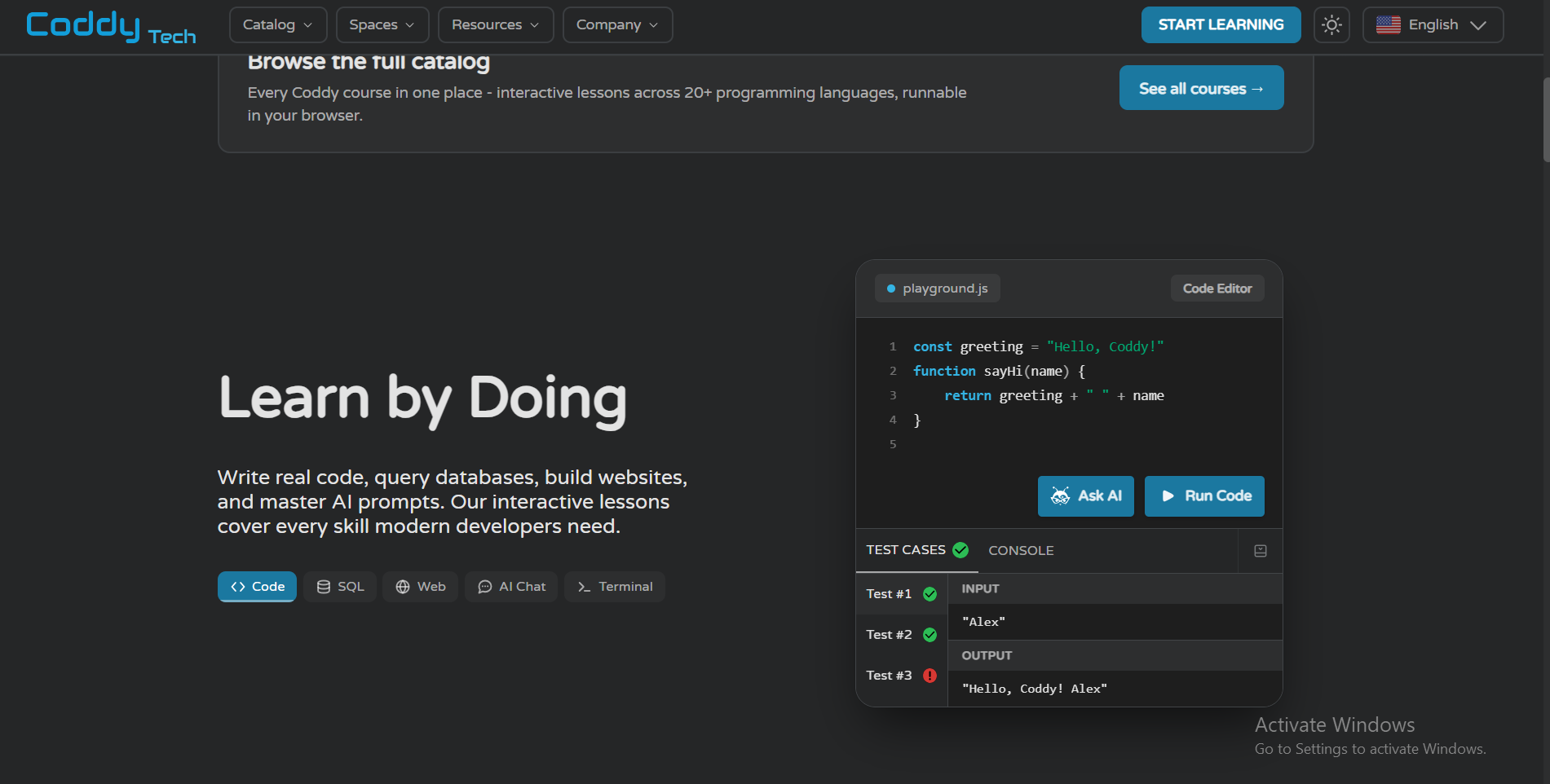
The learning interface is designed to keep you focused on writing code without extraneous distractions. The layout splits your screen cleanly into three distinct work areas.
- Split-Screen Workflow: Instructional theory and task instructions sit on the left, an interactive code editor occupies the center, and a live terminal output displays on the right.
- Instant Unit Testing: Whenever you submit a solution, Coddy runs your code against hidden unit tests in real time, validating edge cases and returning green checkmarks or detailed error outputs within seconds.
- Auto-Grader Rigidity: While the automated grader works smoothly for the vast majority of challenges, I encountered occasional edge cases where valid alternative solutions failed because the automated checker expected an exact formatting style or specific variable naming convention.
Gamification Engine: Streaks, XP, and Daily Quests
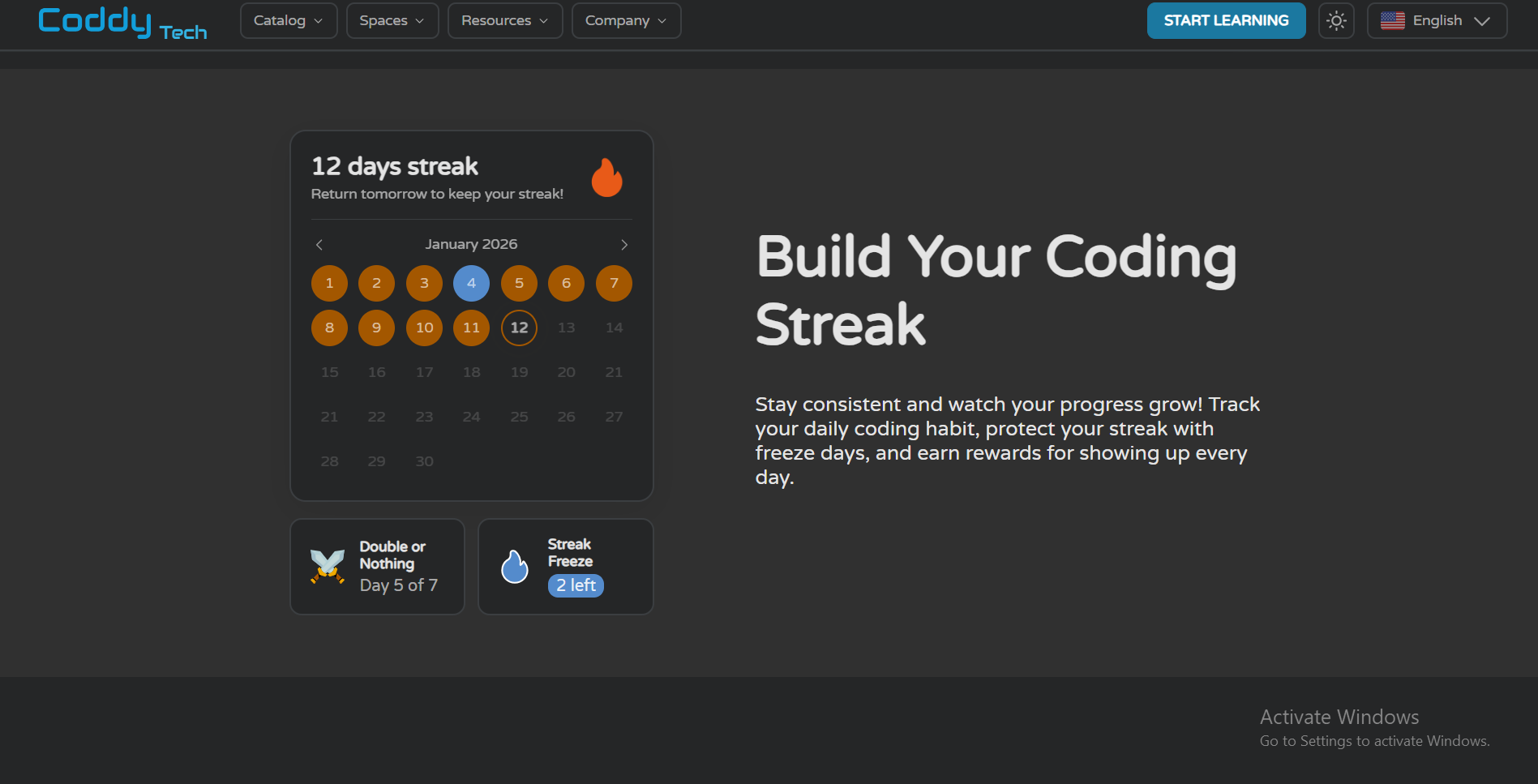
Coddy borrows the most effective psychological engagement triggers from language apps to ensure you return to the platform daily. For anyone who has abandoned a textbook or video course, this gamification engine makes a tangible difference.
- Daily Streaks: A prominent counter tracks consecutive days of coding, creating a powerful psychological incentive to log in and solve at least one challenge every 24 hours.
- Experience Points (XP) & Leagues: Completing lessons earns XP, placing you in competitive weekly leagues where you advance or face relegation based on study consistency.
- Mobile vs. Desktop Usability: Reviewing syntax and completing multiple-choice fill-in-the-blank puzzles on the mobile app works great during commutes, but writing multi-line functions on complex algorithms is significantly more comfortable on a desktop keyboard.
The Bugsy AI Tutor: Smart Hints vs. Solution Analysis
Getting stuck on a coding bug without guidance is the primary reason self-taught students quit. Coddy addresses this by embedding its branded assistant, the Bugsy AI Tutor, directly into the workspace.
- Tiered AI Assistance: On the free tier, Bugsy provides basic hints that nudge you toward the missing syntax. On Pro plans, Bugsy unlocks an advanced AI reasoning model with unlimited debugging runs and step-by-step solution breakdowns.
- Contextual Error Explanations: When your submission throws a syntax error or fails a unit test, Bugsy analyzes your exact lines of code and explains the error in plain, beginner-friendly language.
- Learning Discipline: While the AI hints are genuinely helpful, you must exercise self-discipline to avoid clicking the hint button after only thirty seconds of thinking, which can undermine problem-solving retention.
The Elephant in the Room: The Free Energy System Demystified
The most common criticism in user forums revolves around how Coddy monetizes its platform. If you are wondering is coddy tech really free, the short answer is yes, but with severe structural constraints that push motivated learners toward paid upgrades.
Free accounts operate on an energy meter system. Every time you complete a lesson or submit an incorrect code attempt, a portion of your energy pool depletes. In my testing, starting with a full energy bar allowed me to complete roughly five to seven small exercises before running out of energy completely.
Once your energy hits zero, the platform locks you out of progressing through new lessons until your energy refills passively over several hours, or until you complete repetitive practice challenges to earn small energy increments.
The practical reality is straightforward: free-tier study sessions are effectively limited to about 5 to 10 minutes per day. For someone wanting a quick daily syntax refresher during their morning coffee, this constraint is manageable. But if you sit down on a weekend expecting to study for a focused 45-minute block, the coddy energy system will abruptly stop your progress, making a Pro or Lifetime upgrade almost mandatory for serious learners.
Curriculum Breakdown: What Can You Actually Learn on Coddy?
To assess whether the educational content justifies upgrading, I examined the progression of Coddy’s core tracks to see how far the curriculum takes you beyond absolute basics.
The Coddy Python Course and Web Development Tracks
The coddy python course is by far the most polished offering on the platform, guiding students through foundational programming concepts step by step.
- Core Python Progression: Lessons cover variable types, string manipulation, conditionals, loops, list comprehensions, functions, and elementary object-oriented programming such as classes and inheritance.
- Web Development Foundations: The web track teaches standard HTML semantic structure, CSS styling rules, modern flexbox layouts, and basic JavaScript DOM manipulation to create interactive webpage elements.
- The Curriculum Ceiling: Where Coddy falls short is advanced architectural training. You will not find in-depth modules on building production web backends with Django or FastAPI, nor will you learn how to handle complex application state management in React or Next.js.
Emerging Tracks: Rust, C++, and AI Prompt Engineering
Coddy stands out from competitors like Mimo by offering introductory tracks in notoriously intimidating systems languages and modern artificial intelligence workflows.
- Systems Programming for Beginners: The C++ and Rust tracks do an admirable job of breaking down complex topics like memory safety, pointers, and syntax strictness into digestible bite-sized puzzles.
- AI Prompt Engineering Course: This track teaches the mechanics of large language models, covering prompt anatomy, few-shot prompting, system role instructions, and chain-of-thought techniques to extract better results from generative AI tools.
- Course Quality and Polish: While flagship tracks like Python and SQL are thoroughly polished, some community reviewers note that niche secondary tracks, such as C# or Lua, occasionally feature rigid automated graders that demand exact whitespace or variable naming.
The Reality Check: Syntax Practice vs. Real-World Engineering
Marketing pages often imply that completing an interactive coding app will prepare you for a high-paying tech career. It is vital to separate marketing claims from the realities of modern software engineering. If you are asking can you get a job with coddy tech, here is the unfiltered truth based on industry hiring expectations.
Coddy is a phenomenal habit builder and syntax tutor. It trains your brain to think algorithmically, helps you understand loops and data structures, and eliminates the initial fear of looking at lines of code. If you have spent months trying to learn programming and kept quitting, Coddy will get you past that initial barrier.
However, Coddy does not teach you how to be a working software engineer. In a professional developer role, writing syntax is only one component of the job. Real-world development requires:
- Local Development Environments: Installing command-line tools, configuring package managers, managing virtual environments, and working inside code editors like VS Code.
- Version Control: Using Git and GitHub to commit code, manage feature branches, resolve merge conflicts, and collaborate on pull requests.
- Multi-File Architecture: Building an entire application from scratch across dozens of interconnected files, databases, and APIs rather than filling in an isolated function in a sandbox.
- Independent Debugging: Resolving cryptic terminal stack traces, server errors, and third-party library incompatibilities without an automated AI hint button.
For this reason, Coddy is an exceptional launchpad for your first two months of study. It builds the foundational confidence you need to tackle real projects, but you must pair it with building independent applications outside of a guided browser sandbox if your ultimate goal is employment.
Coddy.tech Pricing & The Lifetime Deal
A critical element of this review is analyzing whether the subscription pricing represents fair value compared to competing platforms. Below is the verified breakdown of current coddy tech pricing options:
| Plan Tier | Price Model | Energy Allowance | Bugsy AI Capabilities | Course Certificates | Best-Fit User Profile |
|---|---|---|---|---|---|
| Free Tier | $0 | Capped (5–10 min/day) | Basic hints | Yes (Free for all users) | Casual learners testing the interface |
| Pro Monthly | ~$15 / month | Unlimited | Advanced AI & Solution Analysis | Yes (Verifiable URLs) | Learners tackling one specific track |
| Pro Annual | ~$99 / year | Unlimited | Advanced AI & Solution Analysis | Yes (Verifiable URLs) | Dedicated learners committing to a full year |
| Lifetime License | ~$112 to $150 (One-Time) | Unlimited Forever | Advanced AI & Solution Analysis | Yes (Verifiable URLs) | Long-term tinkerers exploring multiple languages |
The Free Certificate Advantage
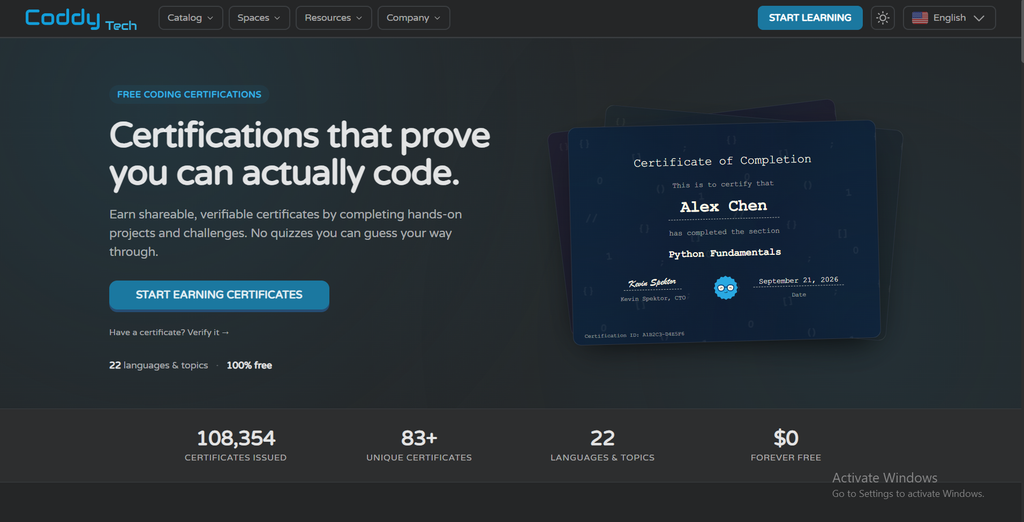
A major misconception among new users is that course certificates are gated behind the paid subscription. On Coddy, verifiable certificates of completion featuring a unique verification ID, public URL, and one-click LinkedIn integration are completely free for all users upon finishing any track. Upgrading to Pro does not buy the credential; it simply removes the energy throttle and ad interruptions so you can complete courses faster.
The Long-Term Value Math: Why the Lifetime Deal Wins
Most modern learning platforms lock you into perpetual recurring subscriptions:
- Codecademy Pro costs approximately $240 to $350 per year.
- DataCamp costs between $150 and $300 per year.
- A single university extension course costs upwards of $500.
Coddy’s coddy tech lifetime deal allows you to pay a single fee for permanent, unlimited access to all existing and future courses with zero recurring charges. While the standard list price is around $150, official promotional discounts frequently lower the one-time cost to approximately $112. If you plan to study Python this year, explore SQL next year, and tinker with Rust down the road, the lifetime license pays for itself within six to eight months compared to any monthly recurring alternative.
Refund Policy & Classroom Options
Keep in mind that Coddy enforces a strict 14-day refund policy: refunds are granted only if you have not accessed or used premium course features after purchase. Once you begin coding on a paid plan, sales are final. For educational institutions, Coddy also offers a dedicated classroom plan with centralized student progress tracking and pooled seat management for teachers.
Coddy.tech Pros and Cons
To give you an honest overview before purchasing, here is my balanced summary of coddy tech pros and cons based on extensive testing:
Pros
Cons
Pros
The platform delivers several standout strengths that make it an exceptional starting point for aspiring coders:
- Zero Environment Setup Barrier: You can begin writing and executing real code in your browser within thirty seconds of signing up.
- Addictive Habit Formation: Streaks, XP, and leagues eliminate the procrastination and dread associated with opening massive textbooks.
- Impressive Language Breadth: Access to over 19 diverse technical tracks under one roof, including Rust, Go, Bash, and AI prompting.
- Contextual Bugsy AI Tutor: Provides clear explanations of syntax bugs without immediately spoiling the challenge solution.
- Free Verifiable Certificates: Every user earns shareable, verifiable certificates upon course completion without paying for a subscription.
- Exceptional Lifetime Value: The one-time lifetime license provides immense cost savings over perpetual recurring subscriptions.
Cons
Despite its pedagogical strengths, there are clear operational and structural trade-offs to keep in mind:
- Frustrating Free Energy System: Locks free users out of lessons after only 5 to 10 minutes of daily study.
- Auto-Grader Sensitivity: Occasionally rejects valid alternative code solutions due to rigid whitespace or variable checking.
- Lacks Real-World Tooling: Does not teach command-line Git, local IDE configuration, or multi-file project architecture.
- Strict Refund Conditions: The 14-day refund guarantee is voided as soon as you access paid lesson content.
Coddy.tech vs. The Competition
To help you decide between leading coddy tech vs codecademy and other popular learning tools, I benchmarked Coddy against its three closest market rivals.
| Platform | Pricing Model | Gamification Level | Primary Medium | Curriculum Depth | Best-Fit Learner |
|---|---|---|---|---|---|
| Coddy.tech | Free tier or ~112–112–150 Lifetime | Very High (Streaks/XP) | Browser & Mobile | Beginner to Intermediate | Beginners building a daily coding habit |
| Mimo | Free tier or ~$100/yr sub | Very High (Duolingo-style) | Mobile App First | Beginner Foundations | Mobile-only casual smartphone learners |
| Codecademy | Free tier or ~$240/yr sub | Moderate | Desktop Browser | Comprehensive Career Paths | Career switchers seeking guided portfolio paths |
| freeCodeCamp | 100% Free (Open Source) | Low (Project-based) | Desktop Browser | Deep Full-Stack Curriculum | Disciplined learners seeking zero cost |
Comparison Insight
If you struggle with consistency, Coddy’s streak mechanics beat passive platforms like freeCodeCamp. If you need a complete software engineering portfolio, Codecademy or freeCodeCamp provide deeper multi-project curriculums.
Coddy vs. Mimo
Both platforms model their user experience on Duolingo, but their execution differs noticeably. Mimo is designed primarily as a mobile-first app with short multiple-choice quizzes and light typing exercises.
Coddy, while available on mobile, prioritizes a full desktop coding editor with genuine code execution and automated unit tests. Furthermore, Coddy covers complex systems languages like Rust, C++, and Go, whereas Mimo focuses almost exclusively on web development, basic Python, and SQL.
Coddy vs. Codecademy & freeCodeCamp
Codecademy Pro is an established industry standard that offers comprehensive career pathways, guided portfolio projects, and workspaces that simulate real software environments, but it charges a premium recurring annual subscription.
freeCodeCamp is an incredible, non-profit community resource that offers hundreds of hours of free full-stack curriculum, but it lacks gamified daily streak motivation and can feel overwhelming to absolute beginners. Coddy sits comfortably between them: it is far more engaging and less intimidating than freeCodeCamp, while offering a one-time lifetime payment option that is drastically cheaper than Codecademy over time.
Who Should Use Coddy?
Because Coddy sits at a specific educational intersection, matching its capabilities to your specific learning stage is essential for a positive return on your time.
Who Should Buy Coddy
If you recognize yourself in any of the following profiles, the platform will serve you exceptionally well:
- Beginners Intimidated by Traditional Computer Science: If you have opened a coding book or watched a lecture and felt overwhelmed by technical jargon, Coddy’s bite-sized challenges will gently build your confidence.
- Busy Working Professionals: Marketers, data analysts, and product managers who want to understand Python scripts or SQL queries in 15-minute daily sessions without installing complex tools on their work laptops.
- Multi-Language Tinkerers: Programmers who already understand coding logic in one language like JavaScript and want to quickly grasp the basic syntax and patterns of Rust, Go, or C++ without buying separate courses.
Who Should Skip Coddy
For specific career objectives, alternative platforms offer a more practical path forward:
- Aspiring Engineers Needing a Job in Six Months: If your goal is to land an entry-level junior developer role quickly, you need to build production Git repositories, deploy live full-stack web applications, and practice whiteboard algorithms. Coddy alone will not get you hired.
- Strictly Free Learners Unwilling to Deal with Cooldowns: If you refuse to pay for software and want to study for three uninterrupted hours every evening, bypass Coddy’s energy limits entirely and work through freeCodeCamp, The Odin Project, or Harvard’s CS50.
How to Choose the Right Coding Platform for Your Goals
Before committing your time or money to any educational software, run your situation through this quick four-part decision framework:
- Clarify Your Ultimate Objective: Are you learning to code to automate routine office tasks, satisfy personal curiosity, and build technical literacy (where Coddy excels), or are you aiming for a full career transition into software engineering (where you need project-heavy bootcamps)?
- Assess Your Personal Discipline: Be honest about your learning habits. If you have abandoned multiple self-paced video courses in the past, an interactive, gamified platform like Coddy will keep you accountable far longer than an unguided textbook.
- Evaluate Your Hardware and Routine: Do you prefer practicing on a desktop workstation, or do you need a platform that syncs smoothly with a mobile browser so you can practice during daily commutes?
- Compare Long-Term Software Costs: Calculate how much you are willing to spend over a multi-year learning journey. If you dislike recurring subscription models, prioritize platforms offering lifetime licenses over monthly recurring charges.
Frequently Asked Questions about Coddy review
Prospective learners frequently have questions regarding free-tier limitations, accredited credentials, and subscription pricing before committing to the platform. Here are direct, verified answers to the most common questions about Coddy.tech:
Final Verdict
The hardest part of learning to code is not mastering complex mathematical theory—it is showing up consistently every single day until syntax stops looking like a foreign language. Coddy’s true superpower lies in completely removing the initial setup friction that causes the vast majority of aspiring programmers to quit before they ever write working software.
If you are an aspiring software engineer expecting Coddy alone to land you a six-figure developer job, you will be disappointed by its lack of local tooling and complex architectural projects. But if you view Coddy as a frictionless launchpad to conquer your fear of code, build daily consistency, and master syntax across multiple languages in 15 minutes a day, it is one of the most enjoyable educational tools on the market.
Hungry for more ed-tech and coding platform reviews? Browse our Academy resources at TrendLevelTech where we break down the learning tools that matter most for aspiring developers and tech professionals.