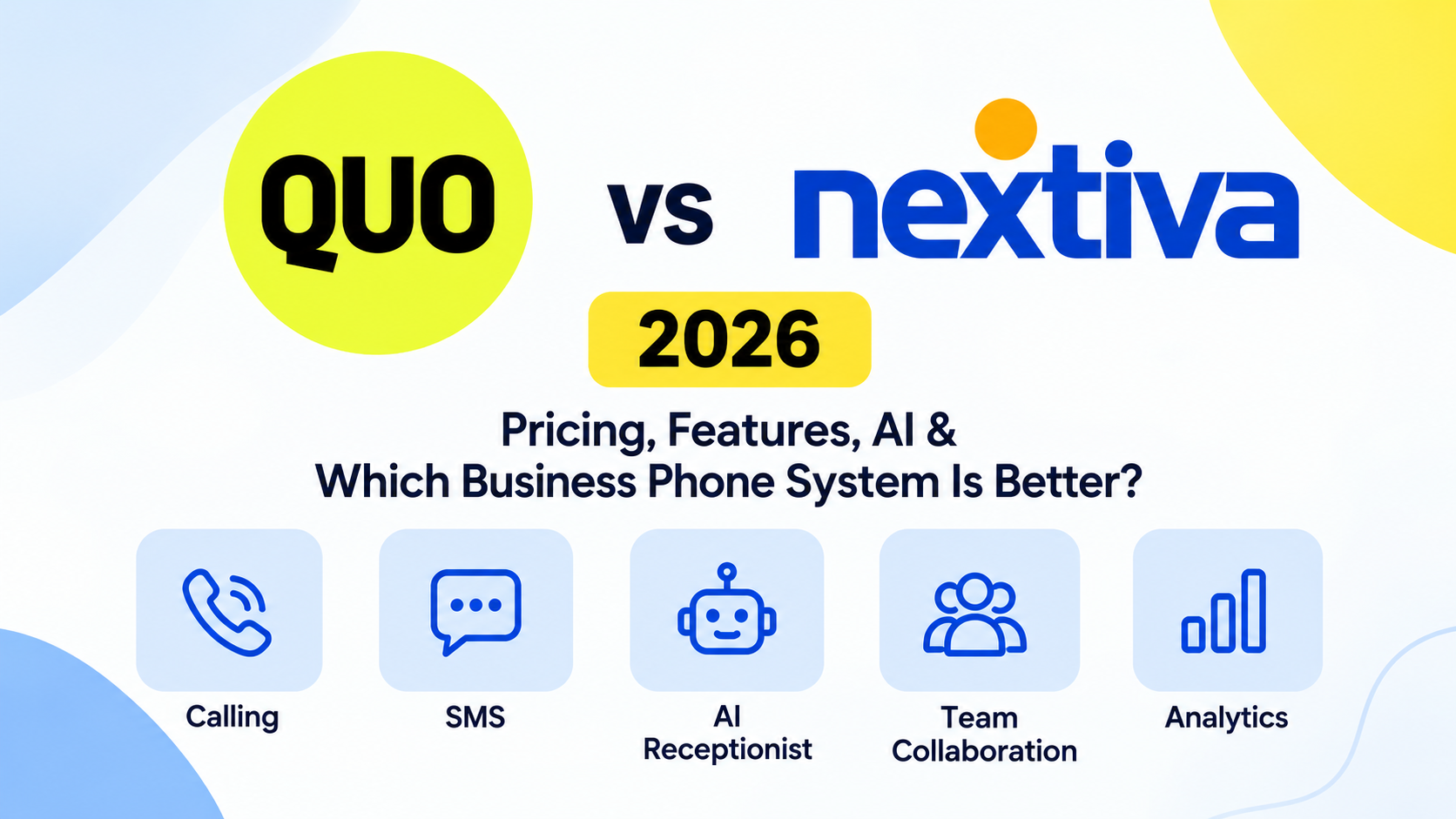
Quo focuses on making customer conversations easier to manage through shared phone numbers, collaborative inboxes, streamlined messaging, and its Sona AI receptionist.
Nextiva offers a broader communication and customer experience ecosystem, combining business calling, messaging, video meetings, customer engagement tools, and contact center capabilities.
So, which one should you choose?
In this Quo vs Nextiva comparison, we’ll examine their pricing, features, AI capabilities, integrations, customer support, and overall value to help you decide which platform best fits your business.
Quick Verdict: Quo vs Nextiva
Quo — Best for straightforward team communication
A strong choice for small businesses that want shared phone numbers, collaborative SMS conversations, simple administration, and AI-assisted call handling.
Nextiva — Best for broader customer engagement
Better suited to businesses that need business phone service alongside video meetings, multiple digital channels, more extensive customer experience workflows, or contact center functionality.
Our verdict: Quo is the more focused option for small teams that primarily communicate with customers through calls and texts. Nextiva deserves stronger consideration when communication extends beyond phone and SMS into a more complex customer experience operation.
Neither platform is universally better. The right choice depends on how your team communicates, which integrations you need, and how much operational complexity you are willing to manage.
What Is Quo?
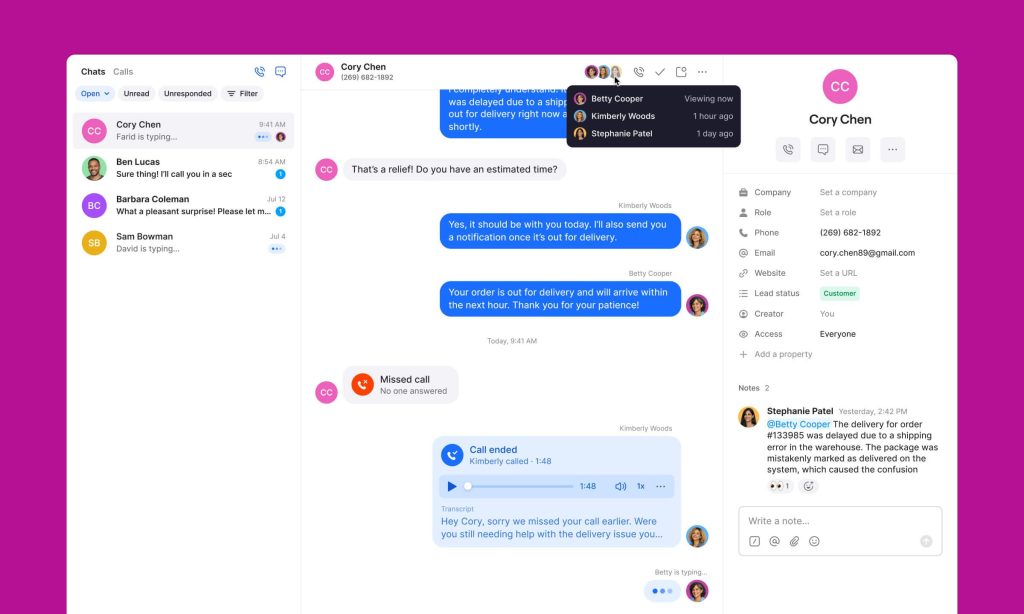
Quo, previously known as OpenPhone, is a cloud-based business phone system designed to make customer communication more organized and collaborative.
Instead of requiring employees to use separate personal phone numbers or switch between disconnected communication tools, Quo brings calls, messages, contacts, and conversation history into a shared workspace.
The platform is particularly attractive to startups, small businesses, service providers, and customer-facing teams that want a modern business phone system without complicated administration.
Key Quo features
Shared business phone numbers: Multiple employees can collaborate using the same number, helping customers receive consistent responses.
Business SMS and MMS: Teams can communicate with customers through text messages alongside traditional phone calls.
Internal collaboration: Employees can discuss customer conversations and share information without moving communication into unrelated applications.
AI-powered call assistance: Supported plans provide call transcripts, summaries, and follow-up information.
Sona AI Receptionist: An AI voice agent that can answer incoming calls and help businesses handle inquiries when employees are unavailable.
CRM integrations: Quo connects with tools such as HubSpot and Salesforce on eligible plans, while its API and automation integrations support additional workflows.
What makes Quo different?
Quo’s central advantage is its focus on the customer conversation itself.
A small team can share responsibility for a business number, review previous interactions, and coordinate responses without building a complex contact center operation.
For companies where missed calls, delayed replies, or fragmented customer communication are major problems, this approach can be valuable.
Want a more detailed look at Quo? Read our Quo Review 2026 for an in-depth analysis of its features, pricing, Sona AI Receptionist, strengths, limitations, and overall value.
Explore Quo for Your Business
Discover how shared business numbers, team messaging, and AI-assisted calling can simplify customer communication.
What Is Nextiva?
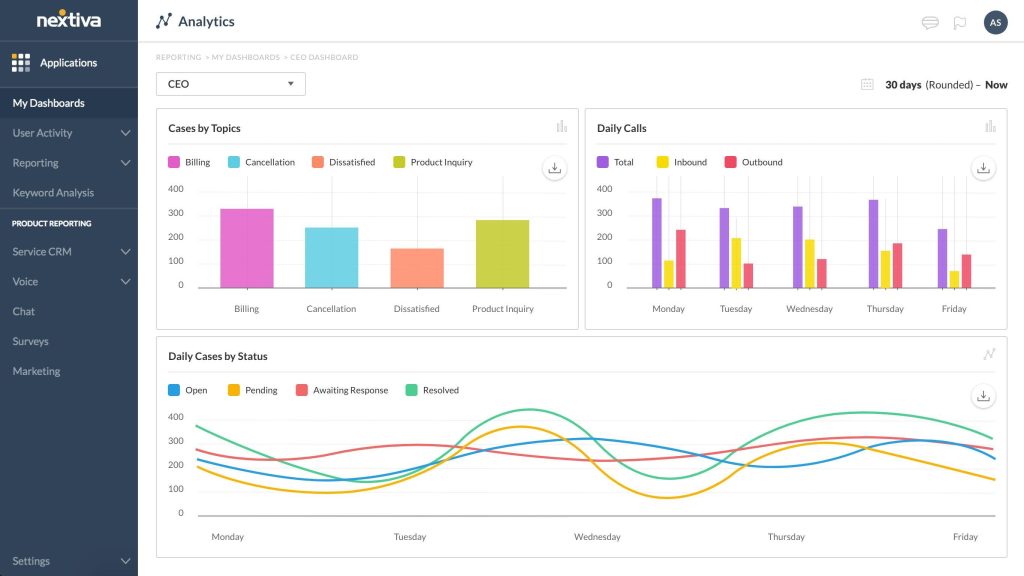
Nextiva is a cloud communications and customer experience platform serving businesses with different levels of communication complexity.
Its offering extends beyond traditional business phone service to include digital engagement, collaboration, AI capabilities, and contact center solutions.
Nextiva’s business phone plans support features such as calling, SMS, video meetings, team chat, and call routing. Higher-tier plans introduce additional customer engagement and reporting functionality.
The company also offers its NEXT platform, which combines customer experience workflows with AI-assisted communication tools.
Key Nextiva features
Cloud-based business calling: Make and receive calls through desktop and mobile applications.
Video meetings: Conduct virtual meetings and collaborate through screen sharing.
Business SMS: Communicate with customers through text messaging, subject to plan limits.
Call routing and phone menus: Direct incoming calls to the appropriate employees or departments.
Customer engagement tools: Higher-tier products support additional channels and customer interaction management.
AI-powered capabilities: Nextiva offers AI-assisted communication, including its XBert AI Receptionist and other automation features depending on the product and plan.
Contact center solutions: Businesses with more sophisticated support or sales requirements can explore Nextiva’s dedicated contact center products.
What makes Nextiva different?
Nextiva’s appeal lies in its broader platform.
A company that needs calling, video meetings, digital customer engagement, and structured support operations may prefer managing those functions within one vendor ecosystem.
However, that broader scope can introduce additional purchasing decisions, configuration requirements, and costs.
Quo vs Nextiva: Key Differences
Both platforms are capable of handling essential business calls. Their differences become more apparent when you examine how teams collaborate, how AI is packaged, and how additional features affect the total subscription cost.
Quo vs Nextiva Pricing Comparison
Pricing is one of the most important factors in choosing a business phone system, but the advertised per-user rate rarely tells the whole story.
You should consider the billing term, required plan, SMS limits, additional numbers, integrations, AI usage, and any optional services.
Quo pricing in 2026
Quo offers three primary subscription plans.
Starter
Essential calling and messaging
user/month, billed annually
Business
Advanced call handling and AI summaries
user/month, billed annually
Scale
More advanced AI and onboarding support
user/month, billed annually
Monthly billing is more expensive, with advertised rates of $19, $33, and $47 per user per month respectively.
The Starter plan includes a phone number per user, calling and messaging to US and Canadian numbers subject to applicable policies, voicemail transcripts, and access to Sona’s included usage allowance.
The Business plan adds features such as AI call summaries and transcripts, group calling, call transfers, phone menus, analytics, automatic call recording, and selected CRM integrations.
Scale adds capabilities including AI call tags and enhanced support.
Quo offers a seven-day free trial.
Nextiva pricing in 2026
Nextiva’s small-business pricing page currently lists:
Core
Calling, SMS, meetings, and collaboration
user/month, eligible annual pricing
Engage
More customer engagement and reporting
user/month, eligible annual pricing
Scale
Broader customer experience capabilities
user/month, advertised rate
The advertised annual small-business pricing is subject to eligibility requirements, including new customers with 1–100 employees and a minimum 12-month paid agreement.
Nextiva’s dedicated contact center products have separate pricing and should not be confused with its Core, Engage, and Scale business communication plans.
How much would a team actually pay?
The following examples use advertised annual-billing per-user rates before taxes, add-ons, and usage charges.
These calculations are illustrative, not personalized quotes.
Which platform offers better value?
At the entry level, Quo and Nextiva have the same advertised annual starting price.
Quo Business is slightly less expensive per user than Nextiva Engage under the published rates, but the plans do not include identical features.
Nextiva Core may deliver better value for teams that specifically need integrated video meetings and team chat.
Quo may deliver better value for teams prioritizing shared customer conversations, SMS collaboration, and simple phone administration.
The best-value plan is the one that includes the features you actually need, not necessarily the one with the lowest monthly price.
Business Calling and Phone Management
Both Quo and Nextiva provide the essential functions expected from a cloud-based business phone system.
Employees can make and receive business calls without relying on traditional desk phone infrastructure, and both vendors offer applications for working away from the office.
The difference lies in how their calling features support day-to-day operations.
Quo: Designed for shared customer conversations
Quo emphasizes straightforward calling and collaboration.
Employees can work with shared phone numbers, access relevant conversation history, and coordinate responses to customer inquiries.
Depending on the plan, the platform supports call transfers, group calling, customized ring orders, phone menus, and automatic call recording.
These capabilities are particularly useful when multiple employees handle the same customer relationships.
For example, consider a home services business where three employees manage scheduling and customer inquiries.
If a customer calls while one employee is unavailable, another team member can review the previous conversation and continue helping without asking the customer to repeat everything.
That continuity is one of Quo’s strongest selling points.
Nextiva: Built for a wider range of communication requirements
Nextiva supports business calling alongside more extensive communication and customer experience features.
Its plans include capabilities such as call routing, mobile applications, and video meetings, with more sophisticated functionality available through higher tiers and specialized products.
Organizations that need structured routing, multiple communication channels, or dedicated contact center capabilities may find Nextiva’s broader product portfolio appealing.
Which is better for calling?
Choose Quo if your priority is making it easy for employees to share responsibility for calls and customer relationships.
Choose Nextiva if your organization needs a broader communications environment or expects to develop more sophisticated contact center operations.
Business SMS, MMS, and Team Collaboration
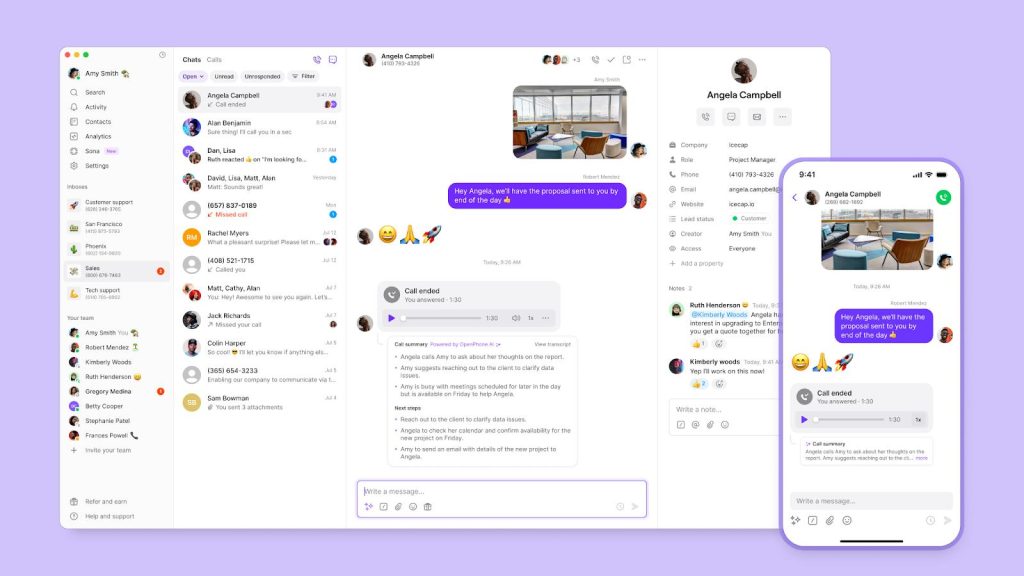
Text messaging is increasingly important for customer-facing businesses.
Customers may prefer a quick SMS confirmation over a phone call, particularly for appointments, delivery updates, service questions, and scheduling changes.
Both Quo and Nextiva support business messaging, but their packaging and collaboration workflows differ.
Quo’s shared messaging experience
Quo places SMS and customer conversation history at the center of its product.
Its shared numbers allow multiple team members to manage customer communication from a common workspace.
Employees can see relevant messages and collaborate internally, reducing the risk of duplicated replies or missed inquiries.
For service businesses, this is especially valuable when the person answering a customer’s message is not the same employee who handled the original phone call.
Quo also provides features such as scheduled messages, snippets, and automated responses, subject to plan and feature availability.
Nextiva’s messaging capabilities
Nextiva supports business SMS across its communication offering.
However, messaging allowances and shared customer messaging capabilities depend on the plan.
Its published small-business comparison lists 100 text messages per user per month on Core, 500 on Engage, and unlimited messages on Scale, subject to applicable terms.
The Engage plan also includes customer-to-team SMS functionality.
These distinctions matter for businesses that rely heavily on texting.
Messaging verdict
Quo is particularly attractive for teams that treat text messaging as a primary customer communication channel.
Nextiva remains a viable option, especially when SMS is one part of a larger communication strategy involving voice, video, and other digital channels.
Businesses should compare actual monthly message volumes, compliance requirements, and any additional messaging charges before choosing.
AI Features: Quo Sona vs Nextiva XBert
Artificial intelligence is one of the most significant developments in modern business phone systems.
Rather than simply routing calls to employees, AI tools can help capture inquiries, document conversations, and automate repetitive tasks.
Both Quo and Nextiva offer AI capabilities, but their approaches reflect their different product strategies.
Quo AI: Focused on customer conversations
Quo’s AI features are designed to reduce the administrative work associated with everyday business communication.
On eligible plans, users can access AI-generated call summaries, transcripts, and other conversation insights.
These tools can help employees understand what happened during a call without listening to the entire recording.
For example, after a customer discusses a service appointment, an AI summary may help the team identify the key requirements and next steps.
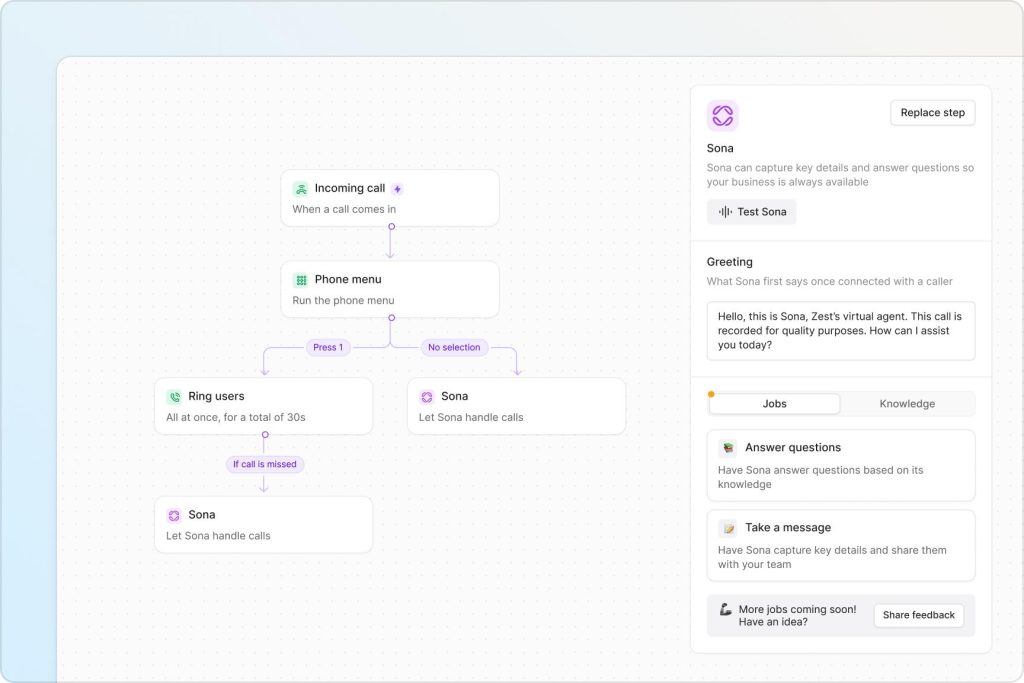
Sona AI Receptionist
Sona is Quo’s AI-powered receptionist.
It can answer incoming calls when employees are unavailable, respond to supported inquiries, and help businesses capture customer information.
This makes Sona particularly relevant for small businesses that cannot justify hiring a full-time receptionist.
A local contractor, real estate professional, or appointment-based service provider may find it useful to have incoming calls answered outside normal working hours.
How much does Sona cost?
Quo currently includes 1,000 automation credits, approximately 10 calls, with its plans.
Additional published usage tiers include:
Usage beyond an allowance may incur additional charges. Actual usage and applicable conditions should be reviewed before subscribing.
Nextiva AI: Part of a broader customer experience platform
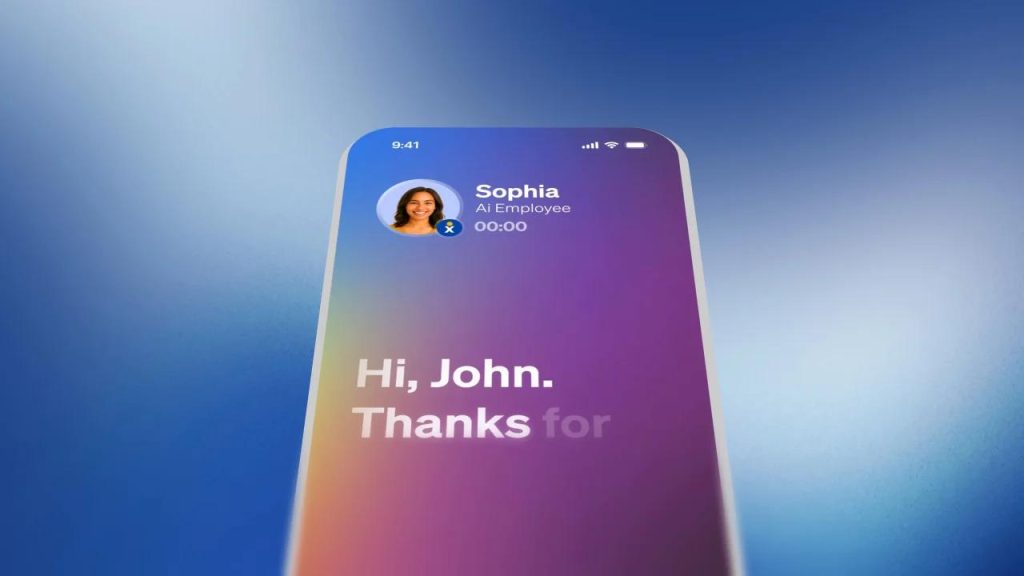
Nextiva offers AI capabilities through its customer experience products, including XBert AI Receptionist.
Its NEXT platform also advertises features such as automated AI transcription, AI summarization, AI Answer Assist, and workflow automation.
Some NEXT packages include a limited number of AI-assisted conversations, with additional usage priced separately.
Nextiva’s published NEXT platform information also lists XBert AI at $0.99 per conversation for certain offerings. That figure should not be assumed to apply to every Nextiva product or contract.
Quo AI vs Nextiva AI: Which should you choose?
Quo’s approach is particularly appealing when the goal is straightforward: answer incoming calls, preserve conversation context, and reduce administrative tasks for a small team.
Nextiva may be more suitable for organizations seeking AI capabilities within a broader customer experience operation involving multiple channels, structured workflows, and contact center functions.
The most useful comparison is not simply which provider has more AI features.
Instead, consider whether the AI tools solve the problems your employees encounter every day.
See How Quo’s AI Features Work
Explore Sona AI Receptionist, AI call summaries, and the tools that help growing teams stay on top of customer conversations.
Review Sona usage allowances and plan requirements before subscribing.
CRM Integrations and Workflow Automation
A business phone system becomes more useful when it works with the applications employees already use.
For many companies, that means connecting calls and messages with a CRM, scheduling software, or workflow automation platform.
Quo integrations
Quo supports native CRM integrations with HubSpot and Salesforce on its Business plan and above.
It also offers an API and connections to automation platforms, allowing businesses to create workflows around customer communication.
For example, a business might use integrations to associate call activity with customer records or trigger a follow-up process.
This can reduce manual data entry and help employees maintain a more complete customer history.
Nextiva integrations
Nextiva also offers CRM integrations and other business application connections.
However, its pricing documentation indicates that integrations with platforms such as Salesforce and HubSpot may require additional fees, setup, or licensing.
For companies already committed to a particular CRM, this is worth investigating before signing a contract.
Integration verdict
Quo may be easier to evaluate for businesses that primarily need a phone system connected to a popular CRM.
Nextiva may offer advantages for organizations adopting a wider customer experience platform, but integration costs and implementation requirements should be confirmed in advance.
Analytics, Reporting, and Performance Insights
Call analytics can help managers understand communication patterns, identify missed opportunities, and improve customer service.
Quo provides analytics and reporting on eligible plans, including its Business tier.
These features can help teams review calling activity and assess how effectively incoming customer inquiries are handled.
Nextiva offers advanced reporting on higher-tier business communication plans and more extensive analytics through its customer experience and contact center solutions.
For a small business, Quo’s reporting capabilities may be sufficient.
For a larger organization managing dedicated sales or support operations, Nextiva’s more specialized analytics may be worth exploring.
The right choice depends on the metrics you need to monitor.
Ease of Use and Setup
Ease of use is often underestimated when comparing business phone systems.
A platform with many advanced features may still be a poor fit if employees struggle to navigate it.
Quo setup experience
Quo emphasizes a streamlined onboarding process.
Businesses can create an account, obtain a phone number, invite team members, and configure basic communication workflows.
Its interface is designed around calls, messages, contacts, and shared conversations.
This focused approach can reduce the amount of training needed for smaller teams.
Nextiva setup experience
Nextiva offers a broader range of products and configurations.
For businesses using basic calling and messaging, setup may be relatively straightforward.
However, organizations implementing advanced customer engagement workflows, multiple channels, or contact center features should expect more planning and configuration.
This does not necessarily make Nextiva difficult to use. It reflects the broader range of functions the platform is designed to support.
Ease-of-use verdict
Quo has a compelling advantage for teams seeking a focused business phone application.
Nextiva may be a better long-term fit when a company is willing to invest more time in implementing a comprehensive communications environment.
Customer Support and Reliability
Reliable communication is essential for any business that depends on phone calls to generate revenue or serve customers.
Both providers offer support, although the available channels and service levels differ.
Quo’s Starter plan includes email ticket support, while Business adds live chat. Scale introduces enhanced support and onboarding options.
Nextiva advertises 24/7 customer support through phone, email, and chat on its business communication pricing page.
This could be an important advantage for companies that require assistance outside normal business hours.
When evaluating reliability, businesses should also examine service-level commitments, incident histories, number-porting procedures, and how quickly support responds to critical issues.
Neither provider should be assumed to deliver better call quality in every location or network environment without testing.
Quo Pros and Cons
Pros
Shared phone numbers and conversations
Strong SMS collaboration
Simple interface for small teams
Sona AI Receptionist
Useful CRM integrations
Transparent published plan tiers
Cons
Not a full enterprise contact center
Advanced features require higher plans
Sona usage can add costs
Less emphasis on video meetings
Support options depend on plan
Nextiva Pros and Cons
Pros
Broad communications ecosystem
Business calling and video meetings
Customer engagement capabilities
Dedicated contact center offerings
AI and automation options
24/7 support advertised
Cons
Feature packaging can be complex
SMS allowances vary by plan
Some integrations cost extra
Advanced solutions can be expensive
Annual promotional pricing has conditions
Who Should Choose Quo?
Quo is particularly well suited to businesses that want to improve customer communication without implementing a complicated communications platform.
It deserves consideration if your business:
- Has a small or growing team handling customer calls and texts.
- Needs multiple employees to manage the same business phone number.
- Wants shared conversation history and internal collaboration.
- Frequently misses calls outside business hours.
- Needs an AI receptionist without building a traditional contact center.
- Uses HubSpot, Salesforce, or workflow automation tools.
- Values straightforward administration and a focused interface.
Example: A small home services company
Imagine a plumbing company with five employees.
Two employees handle appointments, one manages customer inquiries, and the remaining team members work in the field.
Customers frequently call about scheduling, service updates, and urgent requests.
With Quo, the company could share business numbers, coordinate text conversations, and use Sona to handle eligible incoming inquiries when employees are unavailable.
For this type of business, the practical benefits of shared communication may matter more than having a large collection of advanced contact center features.
Who Should Choose Nextiva?
Nextiva may be a better fit for organizations with broader communication requirements.
Consider Nextiva if your business:
- Wants business calling and video meetings within one provider.
- Requires more extensive customer engagement capabilities.
- Operates a dedicated sales or customer support department.
- Needs structured routing across multiple teams.
- Plans to implement a contact center.
- Wants to manage customer interactions across additional digital channels.
- Requires advanced reporting or more sophisticated operational workflows.
Example: A growing customer support organization
Consider a company with 40 customer service representatives handling phone calls, digital inquiries, and customer support requests.
Management needs structured routing, supervisor tools, performance reporting, and processes for managing high interaction volumes.
In this situation, Nextiva’s broader customer experience and contact center offerings may provide a better foundation than a phone-first collaboration platform.
The decision should be based on the specific Nextiva product being evaluated, since its business phone and contact center solutions have different capabilities and prices.
Switching from Nextiva to Quo
Businesses considering a move from Nextiva to Quo often have one major concern: keeping their existing phone numbers.
Changing a business number can disrupt customer relationships, marketing materials, and established communication channels.
Fortunately, Quo supports number porting, allowing eligible businesses to bring existing numbers to the platform.
Step 1: Evaluate Quo before switching
Start by reviewing Quo’s available plans and testing the features your employees will use most frequently.
Quo advertises a seven-day free trial, allowing businesses to explore its interface before committing.
Step 2: Confirm number portability
Before canceling Nextiva, verify that your current phone numbers are eligible for transfer.
Porting availability can depend on the number type, location, account information, and carrier requirements.
Step 3: Submit the porting request
Quo provides a number-porting process for transferring eligible existing business numbers.
The company advertises free number porting and assistance with the process.
Step 4: Maintain your existing service
Keep your Nextiva service active until the transfer is complete.
Quo states that an existing number can continue working with Nextiva until the scheduled port date, although businesses should confirm their specific migration arrangements.
Step 5: Configure your team
Once the number is transferred, configure shared access, call routing, messaging workflows, and any required integrations.
Test incoming calls, outgoing calls, voicemail, and messaging before relying on the new setup for daily operations.
Step 6: Review your Nextiva contract
Check cancellation terms, minimum commitments, outstanding charges, and any equipment obligations.
A successful number transfer does not necessarily eliminate contractual obligations with the previous provider.
Thinking About Switching to Quo?
Explore Quo’s shared business numbers, AI features, and communication tools before deciding whether to move from Nextiva.
Confirm number portability and your existing contract terms before switching providers.
Frequently Asked Questions
Is Quo better than Nextiva?
Quo may be better for small businesses that prioritize shared phone numbers, team messaging, and simple customer communication.
Nextiva may be better for companies that need a broader communications platform, video meetings, or dedicated contact center capabilities.
The best choice depends on your operational requirements.
Is Quo cheaper than Nextiva?
Not necessarily.
Both providers currently advertise entry-level plans starting at $15 per user per month under annual billing conditions.
Quo Business is advertised at $23 per user per month, while Nextiva Engage is advertised at $25 per user per month under eligible annual pricing.
However, these plans do not contain identical features, and additional costs may apply.
Does Quo have an AI receptionist?
Yes. Quo offers Sona AI Receptionist.
Sona can answer incoming calls and assist with customer inquiries. Quo includes a limited monthly allowance, with additional usage tiers available.
Does Nextiva have AI features?
Yes. Nextiva offers AI capabilities, including XBert AI Receptionist and AI-assisted functions across its customer experience products.
Availability, usage limits, and pricing depend on the specific product and subscription.
Can I transfer my Nextiva number to Quo?
Quo supports transferring eligible existing phone numbers.
You should verify portability before starting the process and keep your Nextiva service active until the transfer is completed.
Does Quo support business texting?
Yes. Quo supports business SMS and MMS communication with US and Canadian numbers, subject to applicable messaging policies and requirements.
Does Nextiva support SMS?
Yes. Nextiva supports business SMS, although message allowances and collaboration features depend on the plan.
Which platform is better for small businesses?
Quo is a strong option for small businesses that want a focused phone and messaging solution.
Nextiva may be more appropriate when video meetings, additional digital channels, or broader customer experience functionality are essential.
Which platform is better for a call center?
Nextiva is generally the stronger candidate for organizations seeking dedicated contact center capabilities.
Quo is primarily designed around business communication and customer conversation management rather than operating a comprehensive enterprise contact center.
Does Quo integrate with HubSpot and Salesforce?
Yes. Quo provides native integrations with HubSpot and Salesforce on eligible subscription plans.
Can I try Quo before purchasing?
Yes. Quo advertises a seven-day free trial. Review the current trial terms and included functionality before signing up.
Final Verdict: Quo vs Nextiva — Which Should You Choose in 2026?
Quo and Nextiva are both credible business communication platforms, but they serve different priorities.
Quo stands out for its straightforward approach to customer conversations.
Its shared phone numbers, collaborative messaging, call history, CRM connections, and Sona AI Receptionist make it particularly appealing to small and growing businesses.
Rather than requiring employees to manage communication across disconnected applications, Quo helps teams coordinate customer interactions within a focused workspace.
Nextiva, on the other hand, offers a broader communication and customer experience ecosystem.
Its combination of calling, video meetings, digital engagement, AI capabilities, and contact center products may be more suitable for organizations with complex communication requirements.
Our recommendation
Choose Quo if: Your team primarily relies on phone calls and text messages, needs shared customer conversations, and wants an approachable business phone system with useful AI capabilities.
Choose Nextiva if: Your organization needs broader communication channels, integrated meetings, more advanced customer experience workflows, or dedicated contact center functionality.
For many small businesses, Quo offers an appealing balance of simplicity, collaboration, and functionality.
However, Nextiva should not be dismissed solely because of price. Its entry-level annual pricing is competitive, and its broader feature set can deliver value for the right organization.
Before making your decision, compare the specific plans you need, calculate your expected usage, and test the features most important to your employees.
For a closer examination of Quo, including its strengths, limitations, and real-world use cases, read our complete Quo Review 2026.
Ready to Explore Quo?
See whether Quo’s business calling, shared messaging, and Sona AI Receptionist are the right fit for your team. Explore available plans and try the platform before committing.
Check current pricing, plan inclusions, and trial conditions before subscribing.
Editorial Disclosure
This article contains affiliate links. We may earn a commission if you purchase through our links, at no additional cost to you. Our comparisons are intended to help readers evaluate products based on their needs. Pricing and features may change.
Official Sources
The comparison was researched using the following official resources: