What Is LinkedGrow?
The short answer: an AI writing and scheduling tool for LinkedIn that flips the usual SaaS pricing model on its head.
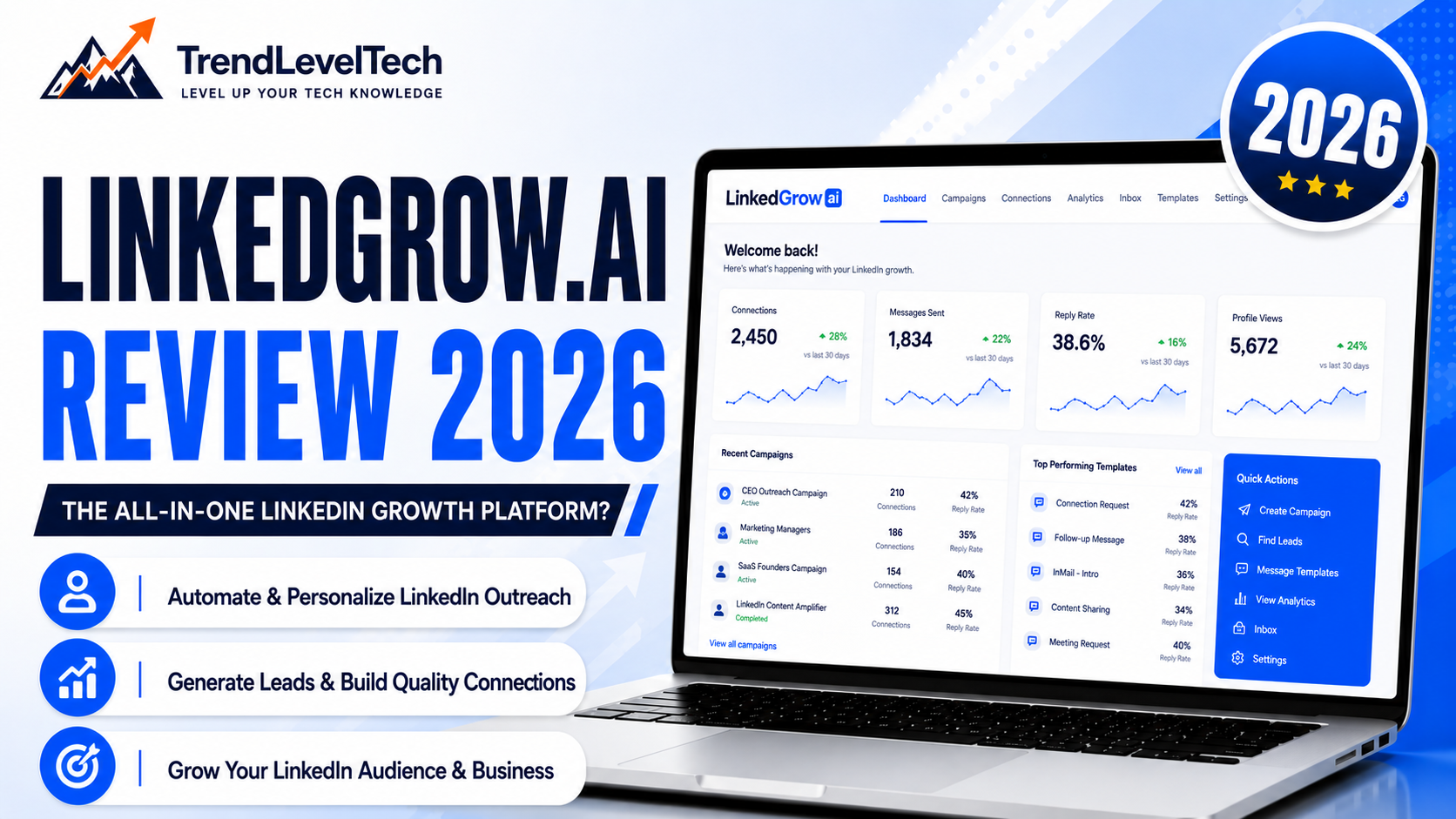
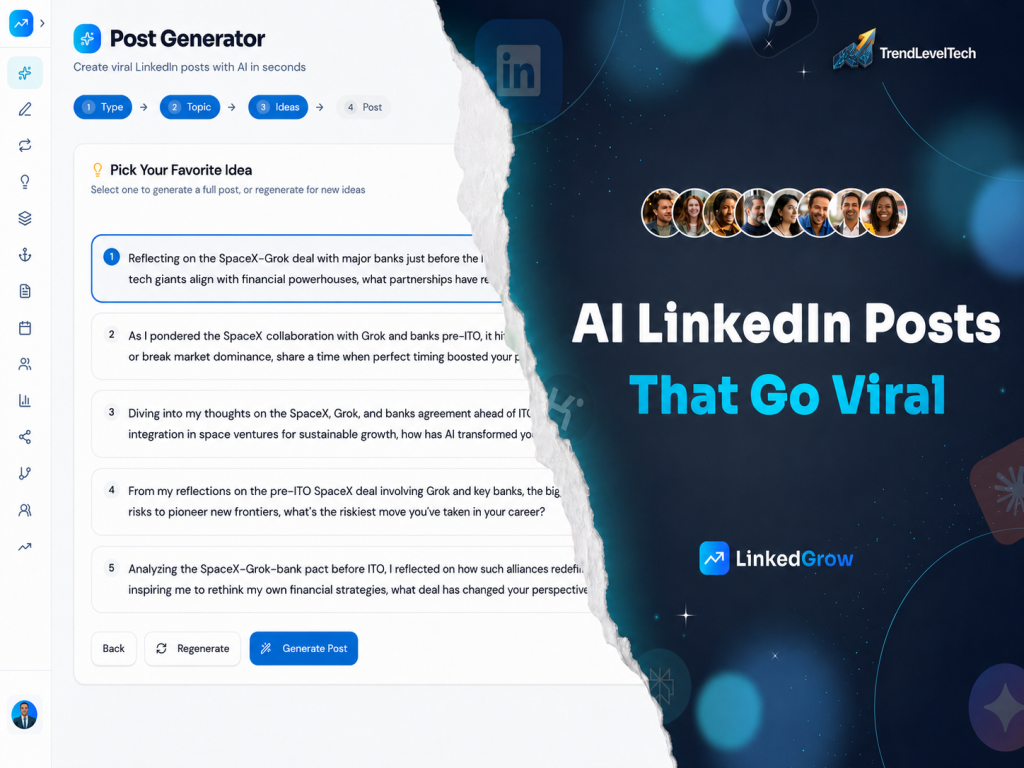
LinkedGrow Review is an AI-powered LinkedIn content platform built for founders, creators, and professionals who want to post consistently without spending hours writing. Rather than staring at a blank screen, you describe a topic, drop in a URL, or import a Reddit thread, and the AI turns it into a publish-ready LinkedIn post — written in a voice trained on your own previous posts rather than generic AI phrasing.
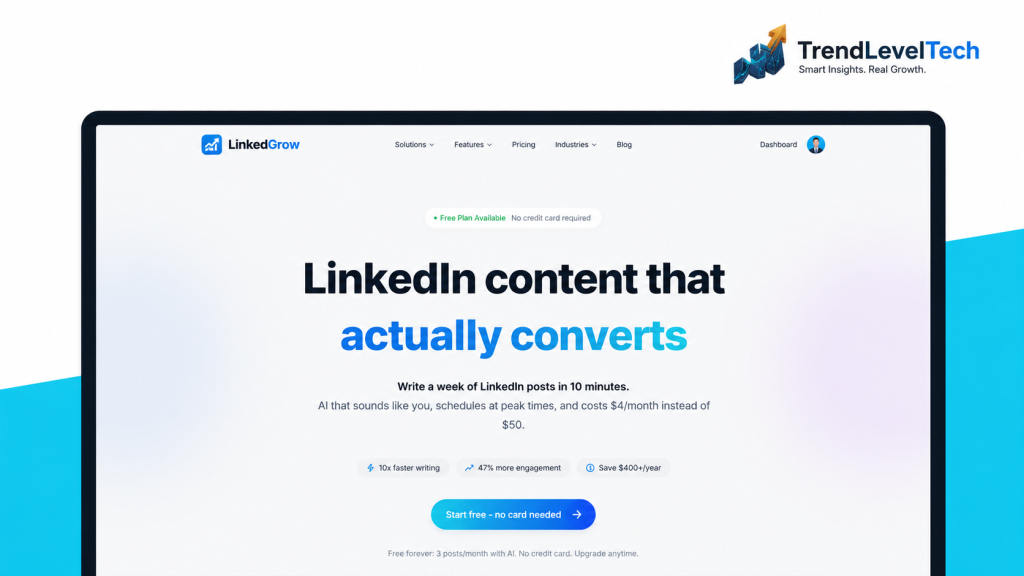
The problem LinkedGrow is explicitly trying to solve is twofold: LinkedIn creators spend disproportionate time writing content (the company cites 4.2 hours a week as a common pain point), and most existing AI LinkedIn tools charge $50-100/month while quietly capping how many AI generations you actually get. LinkedGrow’s answer is the “Bring Your Own Key” (BYOK) pricing model: you connect your own API key from a provider like OpenAI or Anthropic, and LinkedGrow charges a much smaller platform fee since it isn’t marking up the AI usage itself.
The company states it was made in France, founded by Nicolas Lecocq (who has also built other small SaaS products), and says roughly 179 founders had adopted the tool as of its current marketing claims — a self-reported figure worth treating as directional rather than independently audited.
Functionally, LinkedGrow sits in the same category as tools like Taplio and AuthoredUp — AI writing plus scheduling plus analytics for LinkedIn specifically — but its cost structure is the clearest point of differentiation in the category.
Key Features
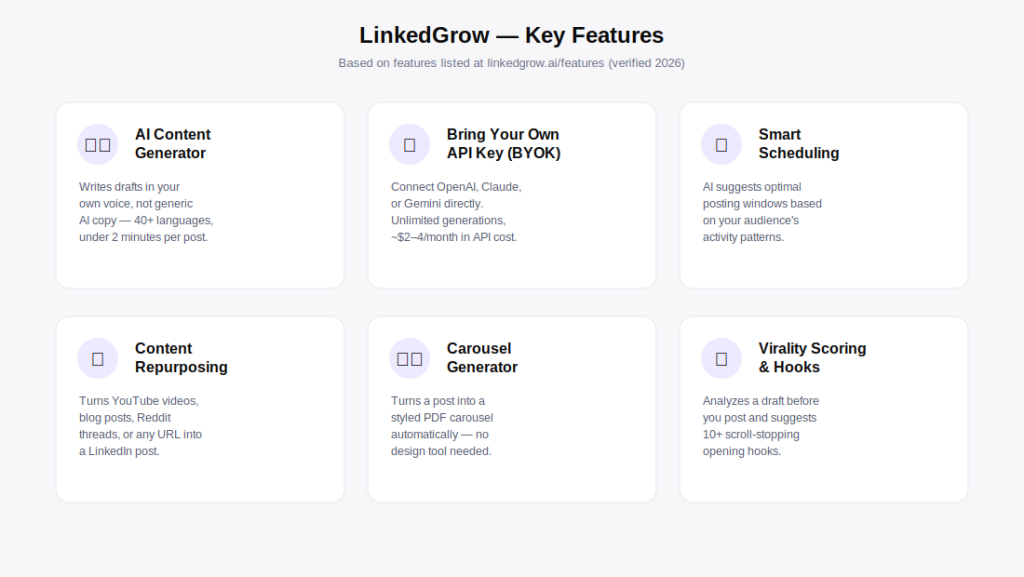
Rather than repeating LinkedGrow’s own feature list, here’s editorial analysis of what actually matters in each one.
AI Content Generator (Voice-Trained)
What it does: generates a full LinkedIn post draft from a topic, idea, or source, in a voice modeled on up to 5 of your own past posts. How it works: you paste sample posts during onboarding, and the model uses them as a style reference for future generations, rather than defaulting to generic AI phrasing. Why it matters: voice consistency is the single biggest complaint people have about AI-written LinkedIn content — readers can usually tell. Who benefits: anyone who already has an established posting voice and wants to scale output without diluting it. Limitation: voice training quality depends on how distinctive and consistent your 5 sample posts are; a thin sample set will produce a thinner voice model.
Bring Your Own API Key (BYOK)
What it does: lets you connect your own OpenAI, Anthropic, Google, Perplexity, Grok, or Kimi API key rather than routing AI usage through LinkedGrow’s own billing. Why it matters: this is the core mechanic behind LinkedGrow’s price advantage — instead of paying a SaaS markup on every generation, you pay the AI provider close to their raw cost, which LinkedGrow states averages $2-4/month for typical posting volume. Who benefits: cost-conscious solo creators and founders who post frequently enough that per-generation markups from competitors would add up. Limitation: this does require creating an account with an AI provider and generating an API key — a small technical step that traditional all-in-one SaaS tools don’t require.
Smart Scheduling
What it does: recommends posting windows based on audience activity patterns and lets you queue a week or month of content in one sitting. Why it matters: consistency is one of the most commonly cited reasons LinkedIn creators stall out — the company cites a common pattern of 73% of would-be consistent posters missing their cadence. Limitation: as with any scheduling tool, recommended times are statistical guidance, not a guarantee of reach for any individual post.
Content Repurposing
What it does: converts existing content — YouTube videos, blog posts, Reddit threads, or any URL — into a LinkedIn-native post. Who benefits: creators and marketers who already publish elsewhere and want a fast way to adapt that content for LinkedIn specifically, rather than starting from a blank page.
Carousel Generator
What it does: converts a written post into a styled, exportable PDF carousel without needing a separate design tool. Why it matters: carousels are one of the higher-engagement LinkedIn formats, and competitors like Taplio charge extra (reportedly around $29/month) for equivalent carousel functionality. Limitation: like any templated design tool, highly custom branding needs may still require touching up the export in a dedicated design tool.
Virality Scoring and Hook Generator
What it does: analyzes a draft before publishing and suggests improvements, plus offers 10+ pre-built hook styles for opening lines. Limitation: virality prediction tools across this entire product category are inherently probabilistic — a high score is a helpful signal, not a guarantee of engagement.
How LinkedGrow Works
The company describes a four-step setup that takes about 10 minutes total.
Step 1 — Connect Your AI Key (~30 seconds)
You create a free API key with a provider like OpenAI, Anthropic, or Google, and paste it into LinkedGrow’s settings. LinkedGrow states you only pay for what you use, typically $2-4/month for regular posting.
Step 2 — Train Your Voice (~2 minutes)
You paste up to 5 of your existing LinkedIn posts. LinkedGrow analyzes them to build a voice model intended to sound like you rather than a generic AI tone.
Step 3 — Pick a Topic or Idea (~2 minutes)
You type a one-line idea, drop in a URL, or import a Reddit thread, and the generator turns it into a full draft in your trained voice.
Step 4 — Generate, Tweak, Publish (~5 minutes)
You review the AI-generated draft, make edits, optionally convert it into a carousel with one click, and either publish immediately or schedule it from the same editor.
LinkedGrow vs. Top Alternatives
To make this LinkedGrow review genuinely useful, here’s how it stacks up against three of the best-known LinkedIn content tools: Taplio, AuthoredUp, and Supergrow.
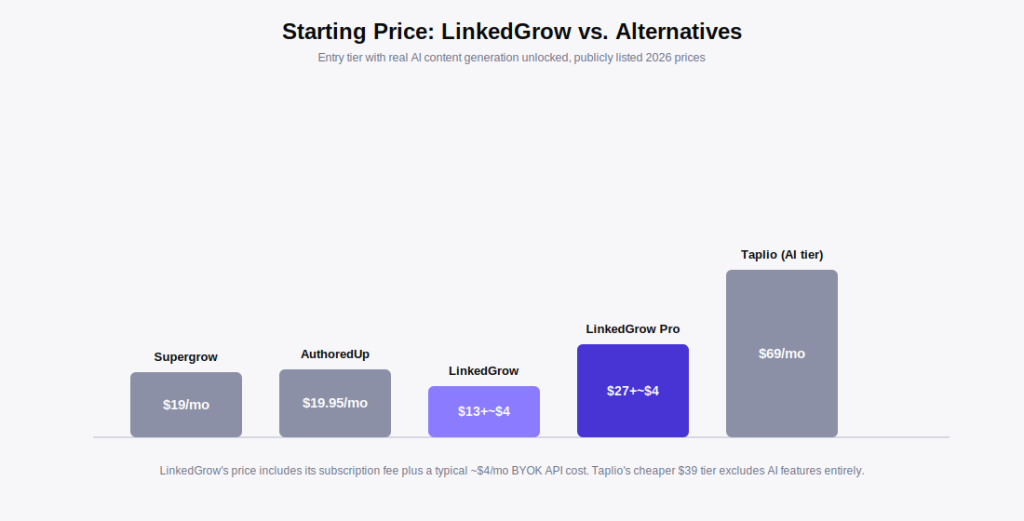
| Criteria | LinkedGrow | Taplio | AuthoredUp | Supergrow |
|---|---|---|---|---|
| Starting Price (AI unlocked) | $13/mo + ~$4 API | ~$69/mo (Starter has 0 AI credits) | $19.95/mo | $19/mo |
| AI Generation Limits | ✓ Unlimited (BYOK) | ✗ 250 credits/mo on Growth | ✓ Included, not credit-based | ✓ Included, not credit-based |
| Voice Training from Your Posts | ✓ Yes, up to 5 posts | Not confirmed as a distinct feature | Not confirmed as a distinct feature | ✓ Yes |
| Carousel Generator | ✓ Included (Business plan) | ✓ Included (no AI) | ✗ Not a focus | ✓ Included |
| Content Repurposing (URL/Reddit) | ✓ Yes, 4 sources | Not confirmed | Not confirmed | ✓ Yes |
| Free Trial | ✓ 7 days, no card | Not confirmed as card-free | Not confirmed | ✓ Free plan available |
| Team / API Access | ✓ Business plan | ✓ Pro plan | Individual-focused | Not confirmed |
Comparison Verdict
No single tool wins for every buyer. Taplio’s real strength is its viral post library — reportedly over 5 million searchable high-performing LinkedIn posts — which is genuinely useful for studying structure and hooks, but multiple independent reviews note that Taplio’s advertised $39/month entry price excludes AI features entirely; the AI writer most buyers actually want starts around $69/month. Taplio’s Pro tier also includes automated connection requests and DMs that operate outside LinkedIn’s official API, which independent reviewers flag as a policy-risk feature worth understanding before enabling it.
AuthoredUp is the strongest choice for a writer or editor who mainly wants a polished writing and formatting experience at a low, flat price ($19.95/month) without needing AI generation as the centerpiece. Supergrow is LinkedGrow’s closest direct competitor in spirit — both are budget-conscious, AI-first tools aimed at solo creators — though Supergrow uses a traditional flat-fee AI model rather than BYOK. LinkedGrow’s advantage over all three is cost at genuinely unlimited AI usage: because the AI billing is separated out to your own provider account, there’s no credit ceiling to hit mid-month the way Taplio’s Growth plan users can run out of their 250 monthly AI credits.
Pros and Cons
A balanced look based on verified plan details rather than marketing claims.
✓ What We Like
- ✅ BYOK pricing genuinely removes the AI generation cap that limits competitors like Taplio’s Growth plan (250 credits/month)
- ✅ Voice training from your own past posts, rather than a one-size-fits-all AI tone
- ✅ 7-day Pro trial with no credit card required lowers the risk of testing the full feature set
- ✅ Broad AI model choice (OpenAI, Anthropic, Google, Perplexity, Grok, Kimi) rather than being locked to one provider
- ✅ 13 free browser-based LinkedIn tools available with no signup, useful even if you never subscribe
- ✅ Content repurposing from Reddit, YouTube, and blog URLs solves the “what do I post about” problem directly
✗ What Could Be Better
- ⚠️ BYOK setup requires creating and managing your own API key — a small extra step non-technical users won’t be used to
- ⚠️ Independent third-party reviews are still very limited; as of this writing, LinkedGrow has only a handful of reviews on Trustpilot, so most public proof of quality still comes from the company’s own site
- ⚠️ Advertised outcome statistics (engagement lifts, time saved, follower growth) are self-reported customer testimonials rather than independently audited case studies
- ⚠️ Carousel generation and some advanced features are gated behind the higher Business plan, not available on Starter
- ⚠️ As a newer product, its long-term track record and update cadence are less proven than more established tools like Taplio
Pricing and Plans 2026
Pricing below reflects what’s publicly listed on linkedgrow.ai/pricing at the time of writing. Always confirm current rates before purchasing, as SaaS pricing changes over time.
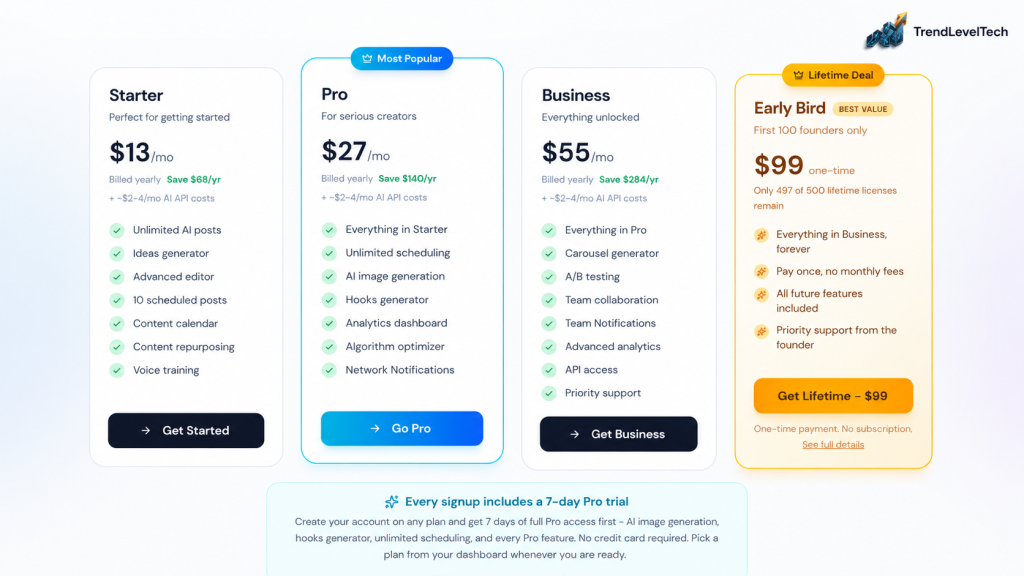
All plans listed above reflect annual billing; monthly billing is available at a somewhat higher effective rate (roughly 30% more, per the site’s own “Save 30%” annual toggle). On top of whichever plan you choose, budget for your own AI provider costs — LinkedGrow states this typically runs $2-4/month for regular posting volume under the BYOK model.
Every plan includes a 7-day Pro trial: Signing up for any tier gives you 7 days of full Pro-level access (AI image generation, hooks generator, unlimited scheduling) before you’re asked to choose a plan, with no credit card required upfront. A 14-day money-back guarantee applies after purchase — confirm the current terms directly on the official site before subscribing.
Pricing Reality Check
For a solo creator or founder posting a few times a week, the $13/month Starter plan plus a few dollars of API cost is genuinely inexpensive compared to the rest of this category — Taplio’s real AI-enabled entry point is roughly $69/month, more than 5x LinkedGrow’s Starter-plus-API total. The Pro plan at $27/month is the one most reviewers and the company itself position as the sweet spot, since it unlocks analytics and AI image generation that serious content creators will likely want.
The Business plan at $55/month only makes sense for small teams or agencies that specifically need collaboration features and API access — a solo creator doesn’t need to pay for those. It’s also worth being realistic about the BYOK savings claim: $2-4/month in AI costs assumes moderate usage; a very high-volume poster generating dozens of drafts and images daily should expect their actual AI provider bill to run higher than that average.
How to Get Started
A straightforward, low-friction setup process based on LinkedGrow’s published onboarding flow.
- Sign up with no credit card. Every account starts with a 7-day Pro trial automatically.
- Create an API key. Visit your preferred AI provider (OpenAI, Anthropic, or Google), generate a free API key, and paste it into LinkedGrow’s settings — the company states this takes about 30 seconds.
- Train your voice. Paste up to 5 of your existing LinkedIn posts so the AI model learns your tone and vocabulary.
- Generate your first post. Type a topic, paste a URL, or import a Reddit thread, and review the AI-generated draft.
- Tweak and schedule. Edit the draft as needed, optionally turn it into a carousel, and schedule it or publish immediately.
- Pick a plan. After the 7-day Pro trial, choose Starter, Pro, or Business from your dashboard based on the features you actually used.
Best Alternatives
If LinkedGrow doesn’t fit your specific situation, here are three legitimate alternatives worth considering.
Taplio — Best for Sales Professionals Who Want a Viral Post Library and Lead Gen
Taplio’s searchable library of over 5 million high-performing posts is a genuine differentiator for studying what works, and its Pro tier adds lead database and outreach tools. It costs considerably more once AI features are included (~$69/month) and its automated connection/DM features on the Pro plan carry some LinkedIn policy risk that independent reviewers have flagged.
AuthoredUp — Best for Writers Who Want a Polished Editor Over Heavy AI
At $19.95/month, AuthoredUp is a strong choice for someone who wants excellent formatting, scheduling, and analytics tools with AI as a supporting feature rather than the main draw.
Supergrow — Best Budget AI-First Alternative
Supergrow is the closest philosophical match to LinkedGrow — an AI-first, budget-friendly tool for solo creators — but it uses a traditional flat-fee AI model rather than BYOK, starting at $19/month ($12/month billed annually) with a free plan available for testing before paying anything.
If you’re building a broader LinkedIn or outbound strategy alongside content creation, it’s also worth reviewing Expandi Review 2026 for LinkedIn automation and outreach, or MagicPost Review for another take on LinkedIn-focused AI writing tools.
Who Should Use LinkedGrow?
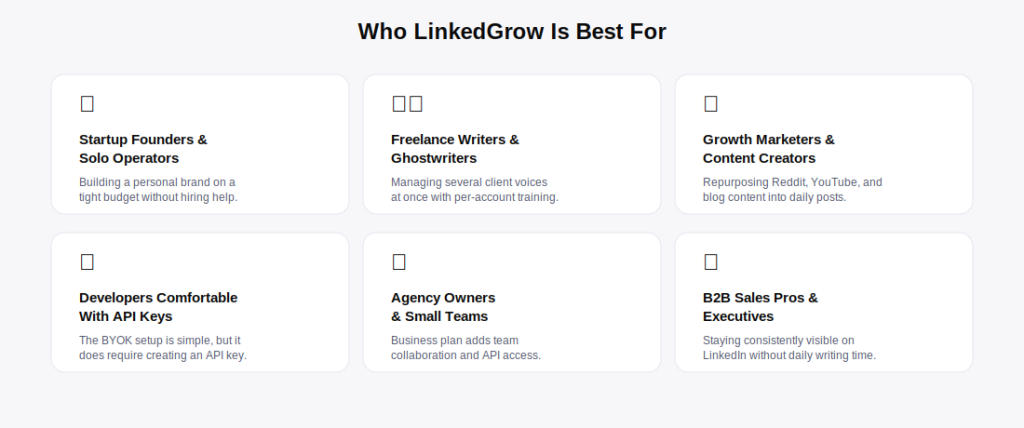
Based on the plan structure and use cases LinkedGrow explicitly supports.
✅ Good Fit If You Are…
- → A startup founder or solo operator building a personal brand on a tight budget
- → A freelance writer or ghostwriter managing multiple client voices
- → A growth marketer repurposing existing content (Reddit, YouTube, blogs) into LinkedIn posts
- → Comfortable creating and pasting an API key as a one-time setup step
- → Posting frequently enough that unlimited AI generation is genuinely valuable, not overkill
- → Looking for the lowest realistic monthly cost in this product category
⚠️ May NOT Be Right For You If:
- → You want a single flat price with zero separate billing relationships to manage
- → You specifically need Taplio’s viral post library or built-in lead database
- → You need heavy team collaboration features beyond the Business plan’s basics
- → You’re uncomfortable creating an API key, even with a guided 30-second setup
- → You want a product with years of established third-party reviews before committing
- → You post so infrequently that any paid plan (including Starter) is more than you need
Integrations, Support & Resources
What’s actually confirmed publicly, without inventing capabilities that aren’t documented.
AI Provider Integrations
LinkedGrow confirms support for OpenAI, Anthropic, Google, Perplexity, Grok, and Kimi API keys, with the site stating 26+ models are available in total and new models added “day one” of release.
Scheduling and Publishing
Posts can be scheduled and auto-published directly to LinkedIn from the LinkedGrow editor, based on the Smart Scheduling feature described on the official features page.
API Access
API access is listed specifically as a Business plan feature, suggesting programmatic access to LinkedGrow itself (separate from the BYOK AI provider keys) is reserved for the top tier.
Customer Support
Starter and Pro plans include email support; the Business plan adds priority support. The company states it responds to inquiries within 24 hours.
Documentation and Free Tools
LinkedGrow maintains a public documentation section and a set of 13 free, no-signup browser tools (LinkedIn headline analyzer, character counter, hashtag generator, engagement rate calculator, AI cost calculator, and others) that double as genuinely useful standalone resources even for non-subscribers.
Data and Privacy
The company states it is GDPR compliant, uses 256-bit SSL, and that customer data is not used for AI model training — though as with any SaaS tool, reviewing the current privacy policy directly on the official site is worthwhile before connecting any account or API key.
Frequently Asked Questions
The questions buyer intent shows up most often in LinkedGrow review searches.
Final Verdict
Pulling this LinkedGrow review together into one honest recommendation.
LinkedGrow’s biggest strength is structural: by separating AI usage cost from its own subscription fee through the BYOK model, it sidesteps the credit-cap and markup problems that show up across nearly every competitor in this category, including Taplio’s gated AI tiers and per-generation limits. Paired with voice training from your own past posts and a genuinely fast setup process, it’s a strong value proposition for cost-conscious solo creators and founders.
Its main weakness is simply maturity — as a newer product, LinkedGrow doesn’t yet have the multi-year track record, review volume, or feature depth (like Taplio’s viral post library) that more established competitors have built up. The BYOK setup, while quick, is also a genuinely different mental model than a typical all-in-one SaaS subscription, and won’t appeal to every buyer.
Best for: founders, freelance writers, and content creators who post frequently and want the lowest realistic cost for unlimited AI-assisted LinkedIn content.
Consider an alternative if: you specifically need Taplio’s lead database and post library, or you’d rather not manage a separate AI provider billing relationship at all — in which case AuthoredUp or Supergrow’s flat-fee model may be a better fit.
LinkedGrow earns a strong recommendation on value alone — the BYOK model genuinely delivers unlimited AI content generation at a fraction of what comparable tools charge. Confirm current pricing, AI provider costs, and plan details directly on the official site before subscribing, as terms can change.
Start your 7-day Pro trial on LinkedGrow’s official site — no credit card required.
Affiliate disclosure: this article contains affiliate links. If you sign up through our link, we may earn a commission at no extra cost to you.