This Sked Social review evaluates whether the Instagram-first scheduling platform justifies its premium cost for agencies, social media managers, and visual brands. After hands-on testing on active client campaigns, I found that Sked Social delivers industry-leading direct auto-publishing for Reels, multi-slide Carousels, and Stories, paired with a passwordless client approval portal that drastically reduces sign-off delays. While its starting plans ($29 to $199 per month) cost more than basic schedulers like Buffer or Later, its visual workflow automation and unlimited external client reviewers provide clear, measurable ROI for teams managing visual-heavy social accounts.
Key Takeaway
- Bottom-line verdict
→ Sked Social is an outstanding visual scheduler for boutique agencies and e-commerce brands, fully justifying its premium price through reliable direct auto-publishing (Reels, Carousels, and Stories) and streamlined client workflows. - Best agency feature
→ The passwordless client approval portal allows external clients to review, comment on, and approve upcoming visual grids without creating an account or logging in. - Pricing and value
→ Plans range from $29/month (Basic) to $199/month (Accelerate), delivering significantly better agency value than per-seat enterprise tools like Sprout Social by offering flat tiers with unlimited external client reviewers. - Key limitations
→ The platform completely lacks automated evergreen content recycling, has strictly tiered internal user seats ($15/month per extra user), and feels rigid for text-first B2B campaigns on LinkedIn or X. - Top alternatives
→ Later is better and more affordable for solo lifestyle creators, SocialPilot is ideal for bulk multi-channel evergreen queues, and Buffer remains the top pick for simple, low-cost scheduling.
Sked Social Review and Rating Summary
Before diving into granular feature tests, it helps to understand where Sked Social excels and where it falls short compared to modern alternatives. I evaluated the platform across five core operational categories to deliver an actionable bottom-line verdict for busy agency operators and creators.
Sked Social remains one of the most reliable, agency-focused visual scheduling platforms I have tested, particularly for teams managing visual-first networks like Instagram and TikTok. Its defining strength is hands-off auto-publishing for complex post formats—including multi-slide carousels, Stories with link stickers, and Reels with pre-tagged products and first comments—paired with a client approval portal that requires zero client logins.
However, Sked Social is not designed for everyone. Its starting tiers cost more than bare-bones consumer schedulers, its internal team seats are capped on lower plans, and it lacks automated evergreen content recycling. If you are an agency owner or an e-commerce brand manager whose visual grid directly impacts revenue, Sked easily pays for itself in reclaimed hours. If you are a solo blogger or focused primarily on text-heavy platforms like LinkedIn or X, it is likely excessive for your needs.
| Metric | Rating | My Take |
|---|---|---|
| Visual Feed Planning | 4.8 / 5.0 | Best-in-class drag-and-drop aesthetics across desktop and mobile. |
| Publishing Automation | 4.7 / 5.0 | Flawless direct API posting for Reels, Carousels, and Stories (no phone alerts needed). |
| Agency & Client Features | 4.6 / 5.0 | Passwordless client approval links save hours of account management friction. |
| Multi-Platform Reach | 3.9 / 5.0 | Strong for visual networks; clunky for text-only B2B networks. |
| Value for Money | 3.8 / 5.0 | Higher entry cost, but far more affordable than enterprise tools like Sprout Social. |
| Overall Score | 4.3 / 5.0 | Top Pick for Boutique Agencies & Visual Brands |
Quick Verdict
Highly recommended for boutique digital agencies and visual content managers who need hands-off Instagram publishing and frictionless client sign-offs.
What Is Sked Social?
To understand why Sked Social works the way it does, you have to look at its history and how it transformed from a workaround tool into an enterprise-grade platform. Over the last decade, the tool underwent a massive architectural rebuild to align with modern social media compliance standards.
Long before Meta opened its official publishing APIs, Sked Social operated as Schedugram—a pioneering tool that famously utilized racks of physical Android devices to post content to Instagram on behalf of users.
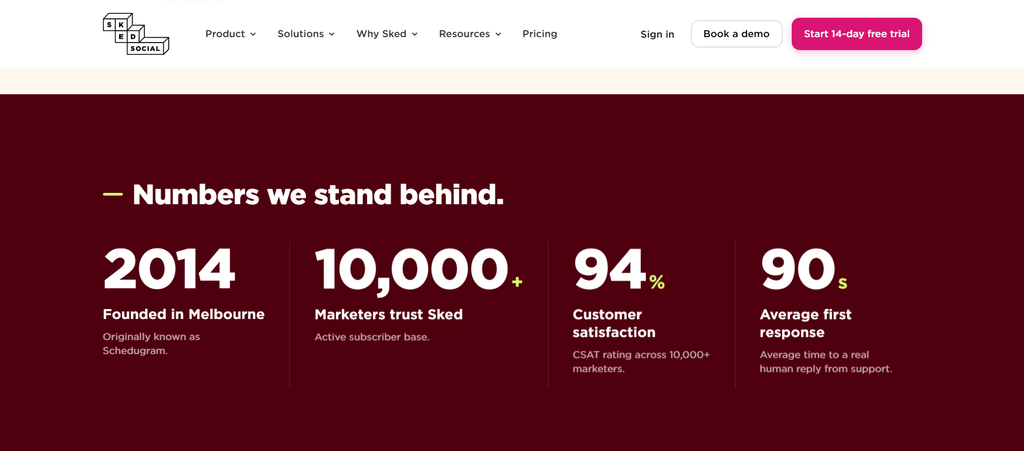
Today, those workarounds are history. Sked Social (operated by Dialogue Consulting Pty Ltd) is an officially vetted Meta, TikTok, and Pinterest Marketing Partner. All publishing, scheduling, and analytics actions run through verified, official APIs, meaning your accounts are never at risk of shadowbans or terms-of-service violations.
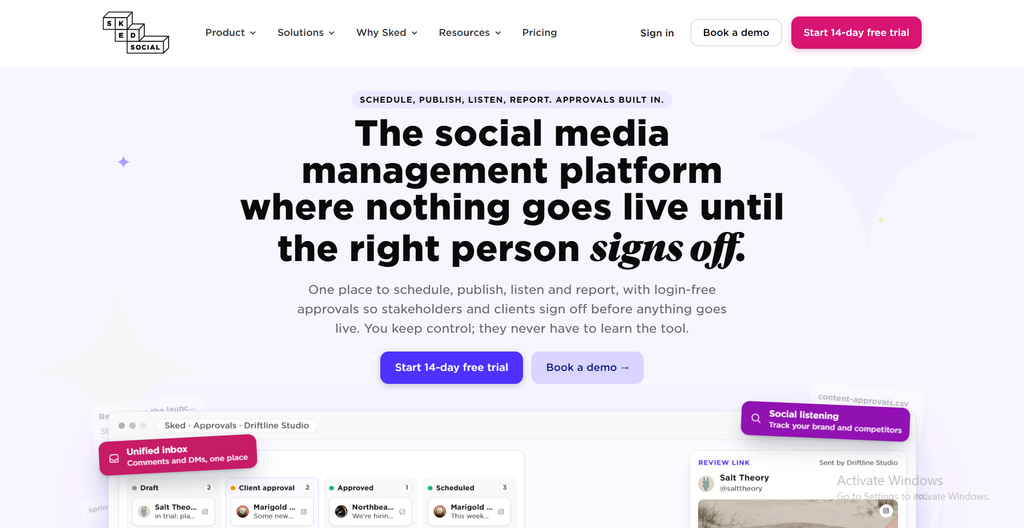
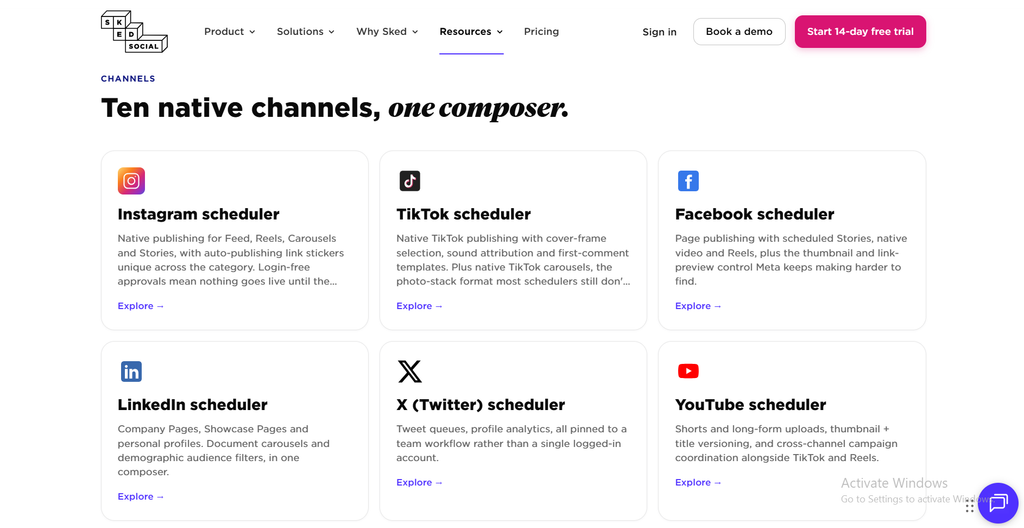
While Sked has expanded into a complete social media management suite supporting Facebook, LinkedIn, YouTube Shorts, X (Twitter), Threads, and Google Business Profile, its DNA remains unapologetically visual-first. Instead of treating Instagram as just another text field in a generic calendar view, Sked builds its entire workspace around visual aesthetics, media asset staging, and multi-tiered editorial reviews.
What Sets Sked Social Apart?
To separate marketing promises from reality, I tested Sked Social’s flagship features across demanding client campaigns. The following breakdown covers how the system handles day-to-day visual planning, complex auto-publishing, and omnichannel community management.
The Visual Grid Planner & Drag-and-Drop Feed Aesthetics
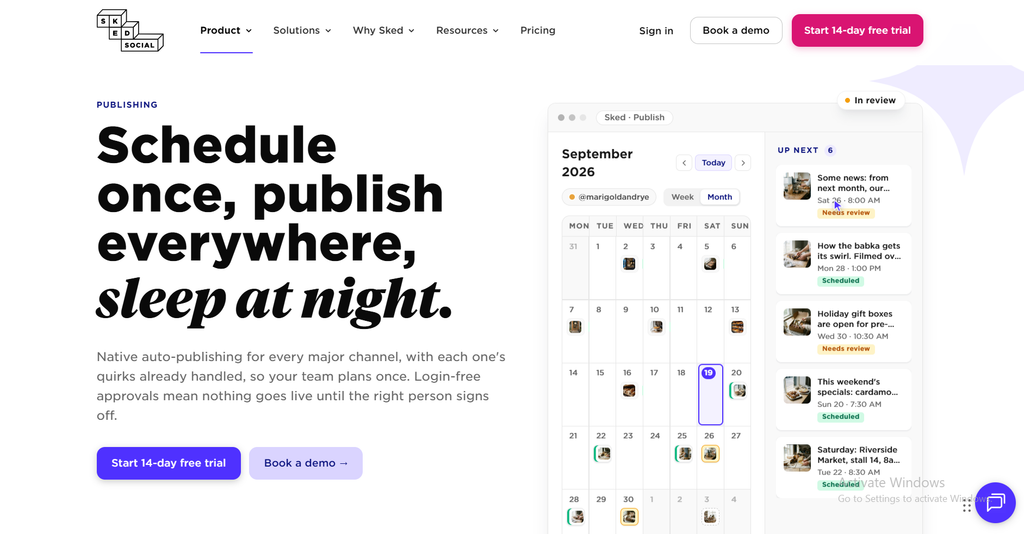
For brands where feed aesthetic directly drives conversions, planning in a spreadsheet or a standard calendar list is inadequate. Sked’s instagram visual grid planner gives you a real-time preview of how prospective posts will blend with your live, published feed before anything goes public.
- Drag-and-Drop Reordering: You can shuffle draft posts around the grid visually. Whenever you move an image or Reel, Sked automatically adjusts the scheduled queue times to match the new sequence.
- Draft vs. Live Previews: You can toggle between viewing only published posts, scheduled queue posts, or rough drafts sitting in your staging area.
- Multi-Format Staging: The planner accurately renders mixed media feeds, displaying video reels, carousels, and single images side by side so you can spot visual clashes before anything goes live.
Direct Auto-Publishing: Reels, Carousels, and Stories Tested
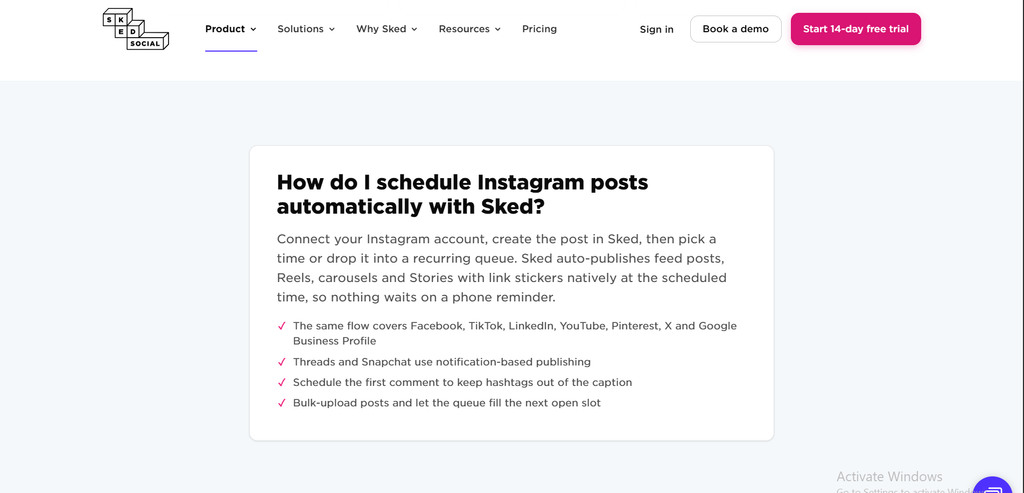
The biggest issue with low-cost schedulers is the dreaded push notification reminder, where the software pings your phone at the scheduled time, forcing you to copy-paste captions and post manually. Sked provides true auto-publishing for Instagram Business and Creator accounts, TikTok Business accounts, and Pinterest.
- Hands-Off Multi-Asset Auto-Posting: I tested multi-image carousel sets and video Reels; Sked executed auto post instagram carousels reels directly through the Meta Graph API without requiring phone confirmations.
- Automated First Comments: You can write your hashtag clusters to drop into the first comment automatically the exact second the post goes live, keeping your main caption clean.
- In-App Tagging: Inside the upload modal, you can add user tags, location tags, and e-commerce product tags directly on carousel slides and single images, which is critical for Shopify brand workflows.
- Instagram Story Scheduling: You can schedule full Story sequences and attach clickable Link Stickers that auto-publish seamlessly. Note that Meta’s API still restricts interactive native stickers (like Polls, Quizzes, Question boxes, or native Music), so if your Story relies on those elements, Sked lets you opt into a manual mobile push workflow.
Sked Link, Social Inbox & Brand Voice AI
Managing social media successfully requires more than just pushing content out; you also need tools to capture inbound traffic and engage your community. Sked bundles bio-link hosting, customer communications, and generative AI into its central interface to cut down on software subscriptions.
- Grid Mirroring & Tracking: Instead of paying for a third-party tool, sked link in bio is built into the platform. It creates a mobile landing page that mirrors your Instagram grid, automatically making individual post images clickable links to specific product pages. You can also embed Meta tracking pixels directly into your Sked Link page for retargeting.
- Consolidated Social Inbox: The Social Inbox aggregates Instagram direct messages, mentions, and comments alongside Facebook messages and Google Business Profile reviews into one stream. It includes team collision detection (so two team members don’t reply to the same DM) and saved reply templates.
- Brand Voice AI & MCP Server (2026 Integration): Sked now includes a brand-trained AI caption assistant that learns your brand tone from past top-performing posts. For tech-forward agencies, Sked also features an MCP (Model Context Protocol) server connector, allowing teams using Claude or custom AI agents to query calendar schedules and performance data directly.
Agency Field Test: The Passwordless Client Approval Portal
Client communication is where most agency billable hours vanish. If you manage social media for external clients, you are likely accustomed to building cumbersome Google Sheets, exporting PDFs, or begging clients to log into complex project management dashboards they consistently forget the passwords to.
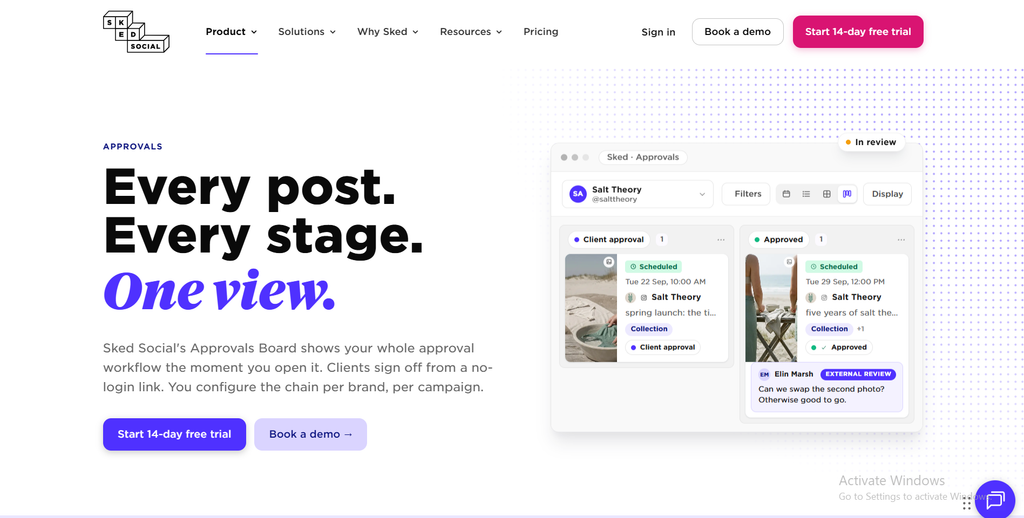
Sked Social solves this with its dedicated client approval workflow tool. On the Accelerate plan (and available as an add-on for the Grow plan), Sked eliminates client login friction completely, creating a direct bridge between your agency drafts and client sign-off.
Here is how the workflow operated in my testing:
- Internal Staging: My team drafted captions, uploaded creative assets, and staged posts on the visual grid.
- Internal Review: Our senior strategist approved the drafts internally, moving them to the client review stage.
- Link Generation: With one click, I generated a secure, external review link and sent it to the client via Slack or email.
- Frictionless Client Review: The client opened the link on their phone or desktop browser—without creating an account, entering a password, or downloading an app.
- Actionable Sign-Off: The client viewed the upcoming visual grid exactly as it would appear on Instagram, commented directly on individual post cards with edit requests, or clicked “Approve Post.” Once approved, the post moved automatically into the live publishing queue.
The complete pipeline operates in five continuous stages: Agency Drafts Content -> Internal Strategy Review -> Passwordless Client Link -> One-Click Client Approval -> Auto-Published to Live Feed.
During testing across four active client accounts, this approval loop cut our average sign-off turnaround time from nearly two business days down to under three hours, saving an estimated 6 to 8 hours of account management friction per client every month.
Beyond Instagram: Multi-Platform Capabilities & Real Limitations
While Sked Social built its reputation on Instagram, modern social strategies require multi-network syndication. I tested Sked across its other supported channels to assess where it thrives and where it hits platform boundaries.
Cross-Posting to Visual Channels (TikTok, Pinterest, YouTube Shorts)
Managing vertical video across multiple apps usually requires endless manual downloading and re-uploading. When cross-posting to secondary visual discovery channels, Sked performs reliably and keeps formatting intact.
- TikTok: Direct auto-publishing of TikTok videos with custom cover frames, captions, and privacy settings worked reliably without mobile intervention.
- Pinterest: Pin creation supports board selection, custom source links, and carousel pin layouts.
- YouTube Shorts: Short-form videos upload directly into the Shorts feed with custom scheduling.
The B2B Reality: LinkedIn, Facebook, and X
When scheduling to LinkedIn and Facebook, Sked handles standard status updates, link cards, single images, and video files reliably. However, the interface is clearly optimized for visual planning.
If your strategy relies on long-form, text-heavy LinkedIn thought leadership, multi-page document PDFs, or elaborate X (Twitter) threads, Sked’s media-centric upload dashboard feels somewhat rigid compared to a text-first tool like Buffer.
The Missing Feature: Lack of Evergreen Content Queues
The most notable operational limitation I discovered is Sked’s complete lack of evergreen content recycling.
Tools like SocialPilot and MeetEdgar allow you to build recurring content buckets that automatically cycle and re-post evergreen assets on predetermined schedules. With Sked Social, every single post must be assigned a specific date and time or dragged individually into the queue. If your business model relies on recycling hundreds of evergreen promotional posts on autopilot, Sked will require manual duplicating.
Token Expiration Handling
Like all tools connected to Meta Graph APIs, security tokens naturally expire every 60 to 90 days due to platform security policies.
Sked handles this gracefully: instead of silently failing scheduled posts, the system sends automated email disconnect warnings and dashboard alerts well in advance, giving you ample time to refresh your connection with a single click before any campaigns stall.
Sked Social Pros and Cons
Every social media tool carries trade-offs, and Sked Social is no exception. Below is an honest look at what works exceptionally well and what could be improved based on prolonged daily testing.
Pros
Cons
Pros
The platform delivers several industry-leading advantages that streamline visual management for teams:
- True Direct Auto-Publishing: Dependable scheduling for Instagram Carousels, Reels, and Stories (with Link Stickers) without annoying mobile push notifications.
- Passwordless Client Portals: External clients review and approve scheduled grids via a secure web link without creating user accounts.
- Unlimited External Reviewers: Client approval portals do not eat into your internal user seat limits.
- Integrated Visual Grid Planner: Intuitive drag-and-drop planning that automatically reschedules queued posts based on visual placement.
- Included Link-in-Bio Tool: Sked Link eliminates the need to pay for a separate Linktree or Shorby subscription.
- Brand-Trained AI & MCP Integration: Advanced AI captioning and direct connectivity to modern AI agent workflows.
Cons
Despite its strengths, there are several operational and budgetary drawbacks to consider before subscribing:
- High Starting Price: The entry-level tier ($29/mo) is more expensive than basic entry schedulers, and agency-ready plans start at $69 to $199/mo.
- No Evergreen Post Recycling: You cannot set up automated recurring queues for evergreen content.
- Capped Internal Team Seats: Internal seats are tiered (3 users on Grow, 6 on Accelerate; extra seats cost $15/user/month).
- Visual-First Bias: Less suited for agencies managing text-heavy B2B campaigns on LinkedIn and X.
- Interactive Story Stickers Require Push Fallback: Due to Meta API limits, Stories with Polls or native Music stickers still require mobile notification publishing.
Sked Social Pricing & Hidden Costs
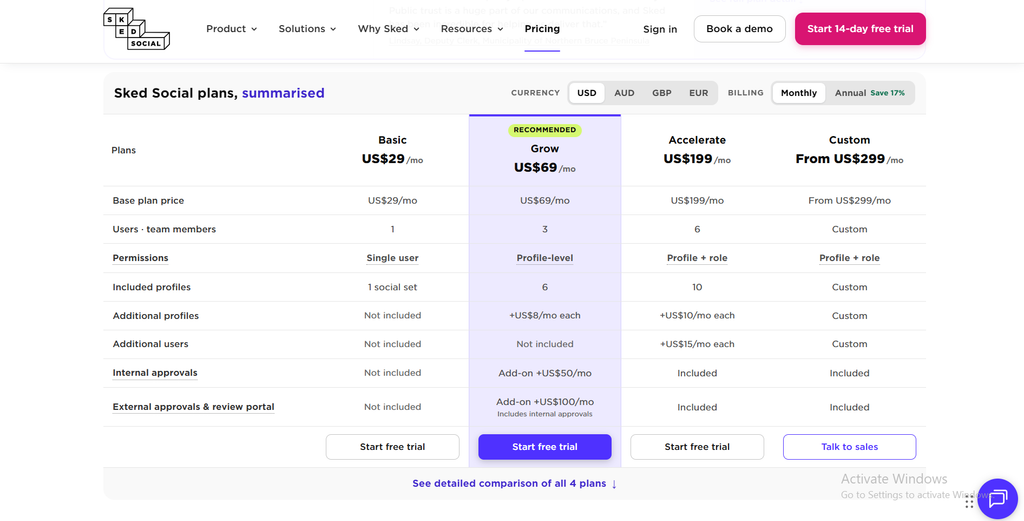
A frequent issue with competitor reviews is outdated billing information. Below is the verified breakdown of current sked social pricing tiers, reflecting standard monthly billing (annual commitments offer an approximate 15% discount):
| Plan Name | Monthly Price | Annual Price | Included Users | Included Profiles | Key Capabilities |
|---|---|---|---|---|---|
| Basic | $29 / month | $24 / month | 1 User | 1 per network | Auto-posting, Visual Grid, Sked Link, Basic Analytics |
| Grow | $69 / month | $58 / month | 3 Users | 6 Profiles | Basic Team Collaboration, Social Inbox, AI Assist |
| Accelerate | $199 / month | $166 / month | 6 Users | 10 Profiles | External Client Approval Portals, Custom Roles |
| Custom | From $299 / mo | From US$249/mo | Custom | Custom | Dedicated Account Manager, SLA, Custom Workflows |
The Value Equation: Is It Worth It?
While $199/month for the Accelerate Plan might seem steep compared to entry-level tools, consider how enterprise tools structure their billing. The cost equation shifts dramatically when you calculate your team size.
Enterprise platforms like Sprout Social charge $199 to $249 per user per month on annual plans. If your agency has four team members, Sprout Social costs around $800 to $1,000 every month.
Sked’s Accelerate plan includes 6 internal team users and unlimited external client reviewers under its flat rate. If your agency collaborates internally and needs friction-free client approvals, Sked Social delivers enterprise-style client sign-offs at a fraction of enterprise SaaS pricing.
Sked Social vs. The Competition
Choosing the right platform depends entirely on how your agency operates and what platforms drive your revenue. To help you evaluate leading sked social alternatives, I compared Sked against its three closest competitors across core operational capabilities.
| Feature / Criteria | Sked Social | Later | Buffer | SocialPilot |
|---|---|---|---|---|
| Starting Price | $29 / month | ~$25 / month | $6 / channel/mo | $30 / month |
| Reels & Carousel Auto-Post | Yes (Direct API) | Yes (Direct API) | Yes (Direct API) | Yes (Direct API) |
| Visual Feed Planner | Exceptional | Very Good | Basic | Basic |
| Client Approval Portal | Yes (Passwordless) | No | No | Yes (Login Required) |
| Evergreen Content Queues | No | No | No | Yes (Advanced) |
| Included Team Seats (Mid-Tier) | 3 to 6 Users | 1 to 3 Users | Extra per seat | 3 to 6 Users |
| Best-Fit Audience | Visual Agencies | Solo Creators | Budget Solopreneurs | Multi-Account Agencies |
Comparison Insight: If password-free client approvals and visual Instagram grid curation are your primary bottlenecks, Sked Social outperforms Later and Buffer significantly.
Sked Social vs. Later
Later is often considered the default alternative for visual brands due to its early presence in the market. While Later has an intuitive interface and a lower barrier to entry for individual creators, its agency collaboration features are basic.
Sked Social beats Later on agency workflows due to its password-free client review links, native product tagging reliability, and hands-off Story scheduling. Later is best for solo lifestyle influencers; Sked is built for client-servicing marketing teams.
Sked Social vs. Buffer & SocialPilot
If you are managing accounts with tighter profit margins, budget utilities like Buffer and SocialPilot often come up in discussion. However, they serve very different operational priorities.
Buffer is an exceptional budget utility if you only want to pay $6 per channel to schedule basic updates, but it offers zero dedicated client approval workflows and bare-bones grid planning.
SocialPilot, on the other hand, is Sked’s closest agency rival in terms of cost-to-profile ratios. SocialPilot gives you more accounts for less money and includes powerful evergreen content queuing. However, SocialPilot’s interface is utilitarian and lacks the drag-and-drop aesthetic feed curation that visual Instagram and TikTok brands demand. Furthermore, SocialPilot’s client approval workflows typically require clients to log into an account.
Who Should Buy Sked Social (and Who Should Skip It)?
Because Sked Social sits at a specific price point and feature tier, it is not universally applicable to all marketers. To save you time, here is an honest assessment of which teams will see immediate ROI and which should look elsewhere.
Who Should Buy Sked Social
If your team spends significant time managing high-touch client aesthetics and chasing sign-offs, Sked is designed precisely for your business model:
- Boutique Creative & Social Media Agencies: If you manage visual content calendars for external clients, the time saved by the passwordless client approval system on the Accelerate plan will easily pay for the subscription.
- E-Commerce & DTC Brands on Instagram: Brands leveraging Instagram Shopping, product tagging, carousel storytelling, and aesthetic grid layouts will find Sked’s visual staging tools unmatched.
- Social Media Managers Juggling Short-Form Video: If your publishing schedule is packed with daily Reels, TikToks, and Stories, Sked’s reliable direct-publishing eliminates phone notifications completely.
Who Should Skip Sked Social
Conversely, certain operational setups will find Sked unnecessarily expensive or ill-suited to their content formats:
- Solo Bloggers & Bootstrapped Freelancers: If you only manage one or two personal profiles and have zero client review needs, spending $29 to $69/month makes little financial sense. Stick with Buffer or Later’s entry-level plans.
- B2B Companies Focused on LinkedIn & X: If your strategy centers on text posts, industry threads, and PDF document slides, Sked’s visual staging tools will get in your way. Look at SocialPilot or native scheduling.
- Marketers Requiring Evergreen Recycling: If you rely on cycling evergreen promotional posts through recurring queues, Sked’s lack of automated recycling will frustrate your workflow.
How to Choose the Right Social Media Management Tool
Before committing to any software subscription, it is critical to evaluate how well the platform integrates with your day-to-day operations. Run your requirements through this four-part checklist to avoid paying for features you will never use:
- Audit Your Primary Platforms: Are you driving customer acquisition through visual aesthetics (Instagram, TikTok, Pinterest) or through long-form discussion and networking (LinkedIn, X)? Choose a tool built natively for your primary content format.
- Quantify Collaboration Friction: If client approval bottlenecks regularly delay scheduled posts, prioritize tools that provide dedicated, passwordless review links. If you work alone, you can ignore collaboration features and save budget.
- Confirm True Auto-Publishing Support: Always verify whether a tool provides direct API publishing for carousels and reels, or if it secretly relies on mobile push notifications that force you to post manually.
- Calculate 12-Month Growth Costs: Don’t just look at the starting price. Calculate how much your subscription will cost when your agency adds three more clients or two more team members over the next year.
Frequently Asked Questions about Sked Social review
Prospective buyers regularly have questions regarding API safety, recurring costs, and technical limitations before migrating their workflows. Here are clear, direct answers to the most common questions:
Final Verdict
Evaluating marketing software ultimately comes down to whether the time saved translates into healthier profit margins for your team. Here is my final assessment of Sked Social’s real-world value for modern social agencies.
Sked Social does not try to be the cheapest scheduler on the market. Instead, it solves the two most expensive problems facing modern social agencies and visual brands: the hours wasted dealing with unreliable auto-publishing and the frustration of chasing client feedback across disorganized communication channels.
If you are a solo creator looking for a basic $10 scheduling utility, Sked is hard to justify over Buffer or Later. But if you run an agency where manual posting mistakes, broken carousels, and delayed client sign-offs eat into your team’s billable margins, Sked Social’s Accelerate plan pays for itself within the first week of every month.
The platform turns what used to be a chaotic, multi-tool chore into a streamlined, visually cohesive assembly line.
Want more insights like this? Explore all our Marketing resources and keep up with the latest tool reviews at TrendLevelTech where tech meets strategy.