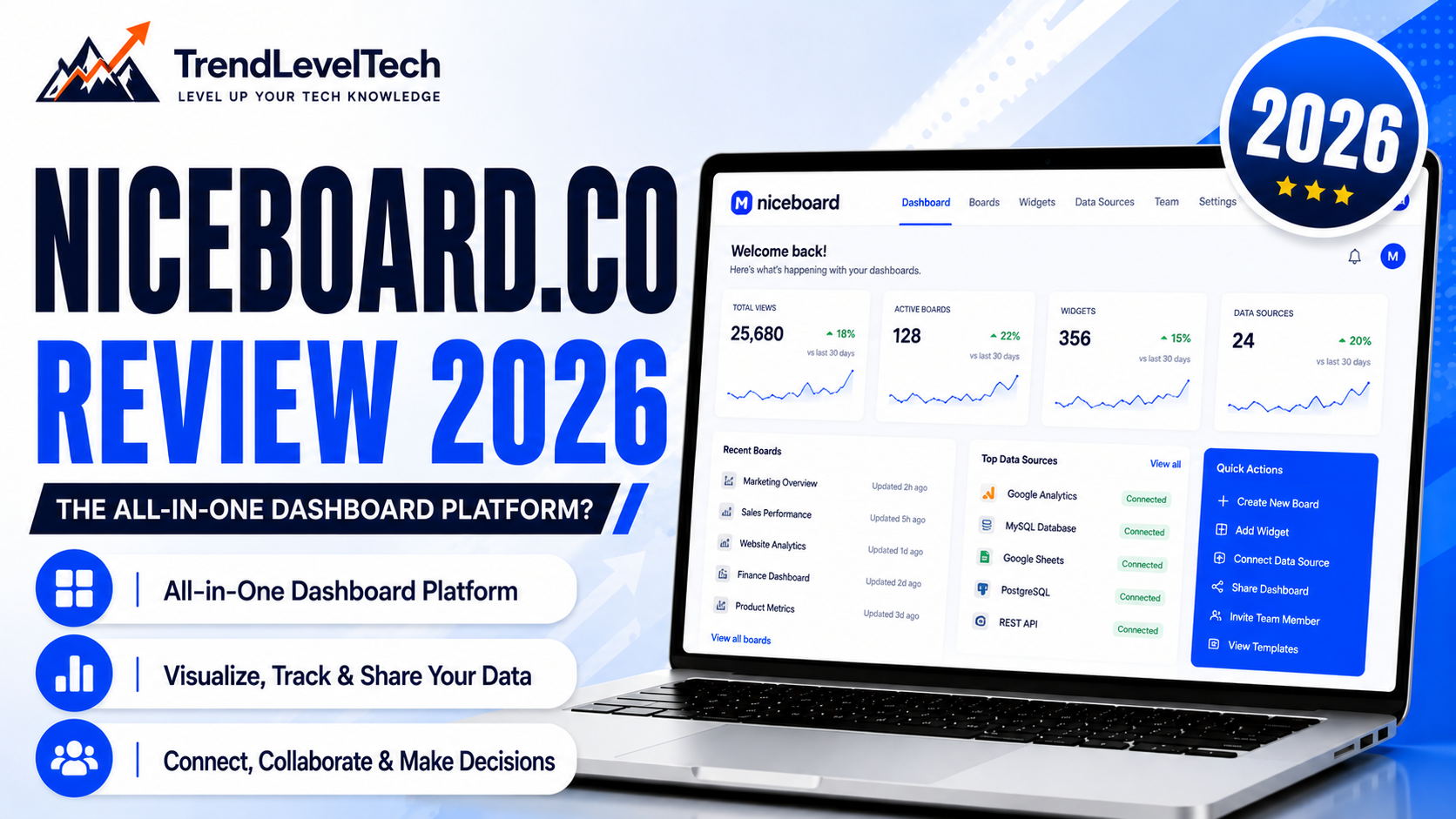
If your association, staffing agency, or niche community has an engaged audience, there’s a decent chance someone on your team has floated the idea of a branded job board — a way to connect your members or readers with employers while turning that traffic into recurring revenue. The question is whether to build one from scratch or pay for software that does the heavy lifting.
That’s almost certainly why you landed here: you’re searching for a niceboard review to see whether niceboard.co actually delivers, what it costs, and whether it beats the alternatives. This review is based on a direct read-through of Niceboard’s official website — including its pricing, features, and FAQ pages — cross-checked against third-party software directories where useful, so you can make an informed call before you spend anything. If you’re evaluating several SaaS tools at once for your organization, our TrendRocket review covers a different but complementary category worth a look: market and audience research tooling.
TrendLevelTech may earn a commission when you purchase through links on this page, at no additional cost to you.
Quick Verdict
Niceboard at a Glance
★★★★☆ 4.3 / 5 (editorial rating)
ProductNiceboard (niceboard.co)
CategoryJob board software / recruitment platform
Best forAssociations, non-profits, staffing agencies, universities, and niche communities
Starting price$399/month ($319/month billed annually)
Free trialYes — 7-day free trial
Main advantagePolished, modern design plus a full monetization toolkit out of the box
Main limitationMeaningfully more expensive than several direct competitors
Ease of use4.6 / 5
Features4.5 / 5
Pricing3.4 / 5
Support4.2 / 5
Ratings reflect our analysis of Niceboard’s publicly listed features, pricing, and support resources. We have not personally run a job board on the platform, so treat “ease of use” and “support” scores as informed estimates based on documentation and third-party reviewer feedback, not hands-on testing.
Product niceboard review Overview
| Attribute | Details |
|---|---|
| Product name | Niceboard |
| Company | MktCo LLC |
| Category | Job board software / recruitment & HR technology |
| Official website | niceboard.co |
| Best for | Associations, non-profits, staffing agencies, universities, VC firms, churches, and niche online communities |
| Starting price | $399/month (Core plan), $319/month billed annually |
| Free trial | 7-day free trial across plans |
| Main features | Custom-branded job board, Stripe monetization, applicant tracking, job backfill/scraping, SEO automation, Google Jobs indexing, blogging, API (top tier) |
| Integrations | Stripe, Zapier, API, Google Analytics, association management systems (iMIS, GrowthZone, MemberClicks, WildApricot, Novi AMS, and more) |
| Customer support | Email support (priority tier on Advanced/Ultimate), help desk, demo calls, dedicated account manager (Enterprise) |
| Platform availability | Cloud-hosted web platform, accessible from any browser |
| Refund / cancellation policy | Cancel anytime; a detailed refund-for-unused-time policy was not published on the pages we reviewed — confirm directly before an annual commitment |

What Is Niceboard?
Niceboard is hosted software that lets an organization launch a fully custom-branded job board — its own domain, its own design, its own pricing — without writing code. Instead of building a marketplace from scratch (which typically means paying developers to handle payments, listings, search, and SEO), you configure Niceboard’s existing platform and connect a domain.
The company positions the product specifically around turning an existing audience into a revenue stream: employers pay to post jobs or access a talent pool, and the organization running the board keeps the proceeds. According to Niceboard, this is a genuine differentiator from a plain job listing plugin — the platform bundles Stripe billing, applicant tracking, SEO automation, and job aggregation into one dashboard rather than requiring separate tools stitched together.
Primary use cases include professional associations offering a members-only career benefit, staffing agencies running a public-facing board for clients, university career centers, and niche online communities (hobbyist, creative, or cause-based) that want to monetize their audience’s job-seeking traffic.
Company Background

Niceboard is operated by MktCo LLC. The company’s About page states its headquarters are in Austin, Texas, with a remote team distributed globally, while the site’s legal footer lists a Delaware registered-agent address (16192 Coastal Highway, Lewes, Delaware) — a common setup for U.S. LLCs and not necessarily where the team physically works. We were not able to confirm a specific founding year or named founders directly from Niceboard’s own pages, so treat any such details found elsewhere as unverified claims rather than confirmed facts.
The company states it has helped launch 3,500+ job boards, paid out roughly $3.73 million in revenue to its customers, serves organizations across 25+ countries, and reports a 98% customer satisfaction figure. Niceboard also displays third-party aggregator ratings on its site — 4.9/5 on Capterra, 4.7/5 on SourceForge, 4.9/5 on GetApp, and 4.9/5 on Software Advice. These figures are self-reported or drawn from public review platforms rather than independently audited, so read them as strong directional signals rather than guarantees.
How Does Niceboard Work?
Based on Niceboard’s own FAQ and product pages, the setup path looks like this:
- Sign up for the 7-day free trial and your job board goes live on a Niceboard subdomain instantly.
- Customize your theme, logo, colors, and homepage layout from the admin dashboard — the company states most customers finish initial setup in 5–10 minutes.
- Connect a domain — point your own domain or a subdomain (like jobs.yourorganization.org) at the board for a fully white-labeled experience.
- Connect Stripe to accept payments; this is currently the only supported payment processor.
- Set pricing — configure job posting fees, subscriptions, upsells, and coupon codes.
- Populate listings — post jobs manually, invite employers to self-serve, or use the backfill/web-scraper tools to pull in listings from around the web while you build momentum.
- Launch and promote — the board is automatically SEO-optimized and indexed with Google Jobs, and you can publish blog content through the built-in blogging feature to support organic traffic.
- Manage and grow — use the real-time reporting dashboard to track sales, jobs, and employers, and upgrade plans as job and account volume increases.
Realistic example: A regional trade association with 2,000 members could launch a “Members-Only Careers” board, backfill it with relevant industry listings on day one so it doesn’t look empty, offer employers a $199 flat fee per 30-day listing, and use the built-in blog to publish hiring-trend content that supports SEO — turning a previously untapped membership benefit into a new non-dues revenue line.Illustration: Launching a Niceboard Job BoardCustomizeConnect DomainConnect StripeLaunchGrowOriginal illustration by TrendLevelTech, based on the setup flow described on niceboard.coA simplified view of the Niceboard onboarding flow, based on the company’s published FAQ.
Main Features
Monetization & Payments
Stripe is built in from day one, letting you charge for individual job posts, run subscription pricing plans, add paid upsells (like featured placement), and issue coupon codes. Niceboard states it takes zero cut of what you earn — you pay a flat monthly subscription for the software itself. Limitation: Stripe is currently the only supported payment processor, so organizations that require a different provider or invoice-only billing (outside the Enterprise tier) may run into friction.
Job Backfill & Aggregation
New boards can look empty on day one, so Niceboard offers a web scraper and XML import tool to automatically pull in relevant listings from around the web, filtered by keyword, category, and country, with run limits that scale by plan (10 runs/month on Core up to 60 on Ultimate). Good for avoiding the “empty marketplace” problem. Limitation: import run limits are relatively low on the entry-level Core plan, and third-party comparisons note Niceboard’s aggregation depth is lighter than some lower-cost, aggregation-first competitors.
Applicant Tracking & Talent Pool
Employers get a lightweight applicant tracking pipeline, and job seekers can join a searchable talent pool that employers can browse directly — a second monetizable layer beyond job posting fees. Useful for boards that want recurring revenue from talent access, not just one-off listings. Limitation: talent pool boolean search and alerts are gated to the Ultimate plan.
SEO Automation & Google Jobs
Every job, category, and location automatically gets its own optimized page, complete with sitemaps and Google Jobs indexing, with real-time indexing available on Advanced and above. Useful for boards that depend on organic search traffic rather than paid ads. Limitation: SEO automation helps discoverability, but it doesn’t guarantee ranking — content and backlinks still matter. If you plan to lean on the built-in blog for content marketing, our InVideo review covers a tool worth pairing with written content for video-based promotion.
Custom Branding & Domain
Connect your own domain or subdomain, customize colors, logo, banner imagery, layout blocks, and (on Core and above) every text label on the site. Multi-language support and custom form fields unlock on the Advanced plan. Useful for organizations that need the board to feel like a natural extension of their main site rather than a bolted-on third-party tool. Limitation: full custom code and CSS access is included from Core, but review sites note deeper layout/drag-and-drop control is more limited than some design-first competitors.
Association Integrations
Niceboard maintains dedicated integration pages for association-management systems including iMIS, Novi AMS, GrowthZone, MemberClicks, WildApricot, Personify, Higher Logic, YourMembership, and Aptify. Useful specifically for trade associations and membership organizations layering a job board on top of an existing member database. Limitation: depth of each specific AMS integration varies, so associations with a specific system should confirm exact functionality before purchasing.
Zapier & API
An Advanced-plan-and-up Zapier integration connects the board to thousands of other apps (Slack, Google Sheets, Airtable, and more), while full API access — for programmatically managing jobs, employers, and categories — is reserved for the Ultimate plan. Useful for teams that want to plug the board into an existing marketing or CRM workflow. Limitation: if API access is a requirement, budget for the top-tier plan specifically, not just any paid plan.
User Experience and Ease of Use
Niceboard’s own FAQ states that most customers complete initial setup in 5–10 minutes, and testimonials referenced on the official site repeatedly emphasize a clean admin dashboard and a design that doesn’t require a developer to look professional out of the box. Independent listings on Capterra and GetApp show consistently high satisfaction scores (4.9 out of 5 on both, at the time of our research), which is a meaningful signal for a B2B tool at this price point.
Where the learning curve increases is in the deeper monetization and customization settings — pricing subscriptions, upsells, custom fields, and multi-language configuration — which is reasonable given how much those features are doing, but not necessarily a five-minute task. Third-party comparison sites also note that while the base theme looks polished immediately, achieving pixel-level layout control (versus a true drag-and-drop builder) is more limited than on some competing platforms.
Product Performance
Niceboard’s own economics data, displayed on its homepage and pricing page, states an average job listing sells for $149, with customers reaching profitability (covering their subscription cost) after an average of 2.2 job sales, typically within 1.5 months. The company also publishes real case studies: it states the Grow Cycling Foundation generated over $40,000 in revenue through its board, the Truckee Chamber of Commerce saved roughly 10 hours per week after switching to Niceboard, and Medical Alley reportedly reached profitability in its first year while spending about 15 minutes a day managing the board. These are company-published figures tied to named, real customers rather than anonymous claims, which adds some credibility, though they remain individual results rather than guaranteed outcomes for every organization.Illustration: Niceboard’s Published Revenue Example20jobs posted / month×$199average price / job=$3,980per monthOriginal illustration by TrendLevelTech, recreating the example scenario published on niceboard.co/pricing. Individual results vary.Niceboard’s own published example of potential job board revenue at a moderate posting volume. This is a company-provided illustration of potential, not a guarantee.
Integrations
Illustration: Association Systems Niceboard Connects ToiMISNovi AMSGrowthZoneMemberClicksWildApricotAptifyPersonifyHigher LogicYourMembershipOriginal illustration by TrendLevelTech, based on association-integration pages listed on niceboard.coAssociation-management platforms with dedicated Niceboard integration pages, useful for trade groups and membership organizations.
Confirmed integrations based on our review of Niceboard’s official site:
- Payments: Stripe (the only supported processor at this time).
- Automation: Zapier (Advanced plan and above), connecting to thousands of third-party apps.
- API: Full API access on the Ultimate plan for custom, code-based workflows.
- Analytics: Google Analytics, plus support for custom tracking code.
- Association management systems: Dedicated integrations/landing pages for iMIS, Novi AMS, GrowthZone, MemberClicks, WildApricot, Personify, Higher Logic, YourMembership, and Aptify.
- Job aggregation partners: Backfill listings sourced from partners including Adzuna, Talroo, Indeed, and Appcast.
- Email/marketing tools: Third-party directory listings reference EmailOctopus as a connected tool, alongside Google Search Console for SEO monitoring.
We did not find native e-commerce (Shopify/WooCommerce) integrations, which makes sense given the product’s B2B, association-first focus rather than a consumer marketplace angle.
Niceboard Pricing
Illustration: Niceboard Pricing Tiers (Monthly)$399Core$599Advanced$899UltimateCustomEnterpriseOriginal illustration by TrendLevelTech, based on published pricing at niceboard.co/pricing. Annual billing saves ~20%.A relative view of Niceboard’s four pricing tiers by monthly cost. Confirm current figures on the official pricing page.
Niceboard pricing is publicly listed and refreshingly specific for a B2B SaaS product — most competitors in this space require a sales call to get a number. Here’s what we confirmed directly from the official pricing page:
| Plan | Monthly | Annual (per mo) | Active jobs | Team members | Notable features |
|---|---|---|---|---|---|
| Core | $399 | $319 | 5,000 | 2 | Applicant tracking, talent pool, blog, custom code/CSS, coupon codes |
| Advanced | $599 | $479 | 10,000 | 5 | Zapier, webhooks, real-time Google Jobs indexing, multi-language, AI spam prevention helpers, priority email support |
| Ultimate | $899 | $719 | 30,000 | Unlimited | Full API, SSO, 2FA, recruiter accounts, candidate messaging, invoice billing, custom email domain |
| Enterprise / Associations | Custom | Custom | Custom | Custom | Hybrid/revenue-share option, managed onboarding, dedicated account manager, custom SLA |
Where Niceboard pricing stands out: the company states it takes no cut of your job-posting revenue on the standard plans — you pay one flat monthly fee regardless of how much you earn. That’s a meaningful difference from platforms that charge a percentage of your sales on top of a subscription.
Where it’s a real consideration: at $399/month minimum, Niceboard’s starting price is noticeably higher than several direct competitors — third-party comparisons put budget-focused alternatives as low as $50/month and mid-tier competitors around $249/month. This pricing makes the most sense for organizations that already have an audience likely to generate enough job-posting revenue to offset the subscription, rather than someone testing whether a job board concept will work at all.
Billing annually saves roughly 20% compared to paying monthly across every tier. The company also confirms there are no separate hosting fees — cloud hosting is bundled into every plan — and that you retain full ownership of your data with one-click export at any time.
Pricing, plan limits, and included features may change. Visit the official website to confirm the latest information before purchasing.
Free Trial
Niceboard offers a 7-day free trial that applies across its plans, and your board goes live immediately upon signup rather than after a delay. We were not able to independently confirm from the pages reviewed whether a credit card is required to start the trial, so we’d recommend checking that detail directly on the signup page before you begin, particularly since some competitors in this category do require one to prevent a live board from going dark mid-trial.
Customer Support
Based on the official site, Niceboard offers:
- Email support, with explicitly “priority” email support called out as an Advanced-plan-and-above benefit — implying standard-tier support may be slower.
- A dedicated Help Desk (help.niceboard.co) with documentation.
- A Learning Center with educational content on running a job board.
- Book a demo calls for prospective customers.
- A public status page (status.niceboard.co) for uptime transparency.
- A dedicated account manager for Enterprise/Association-tier customers.
We did not find published live chat support or specific guaranteed response-time SLAs (outside Enterprise custom SLAs) on the pages reviewed, so we won’t invent a number — confirm current support responsiveness directly, or check recent verified reviews on Capterra or G2 if that’s a deciding factor.
Security and Privacy
Niceboard states that your account credentials and job data are protected with what it describes as “bank-level encryption,” and that it’s hosted on cloud infrastructure used by companies like Netflix and Amazon — language that strongly implies AWS-style infrastructure, though the company doesn’t name the specific provider on the pages we reviewed. Free SSL is included on every plan, along with automated backups and continuous platform updates. Single Sign-On and Two-Factor Authentication are available specifically on the Ultimate plan.
What we could not confirm: named third-party compliance certifications (such as SOC 2), a dedicated security whitepaper, or GDPR-specific processing documentation. Associations and universities with strict procurement or data-compliance requirements should request this documentation directly from Niceboard’s team before signing a contract, rather than relying on general marketing language.
Use Cases
Professional Association or Trade Group
Problem: Members ask for job opportunities as a benefit, but building a career center from scratch isn’t a core competency. How Niceboard helps: A branded board that integrates alongside association-management platforms like iMIS or GrowthZone, with tiered member/non-member pricing. Expected benefit: A new non-dues revenue stream and a tangible membership perk. Possible limitation: Full advantage of AMS integrations may require the Advanced or Ultimate tier depending on your specific setup.
Regional Chamber of Commerce
Problem: Manually fielding job postings by email and updating a static page eats staff time every week. How Niceboard helps: Self-serve employer accounts and automated billing remove the manual back-and-forth — Niceboard’s own case study on the Truckee Chamber of Commerce cites roughly 10 hours saved per week after switching. Expected benefit: Staff time redirected toward higher-value chamber work. Possible limitation: Smaller chambers with low job volume may take longer to see the subscription pay for itself.
Niche Non-Profit or Cause-Based Community
Problem: A passionate audience exists, but the organization has no dedicated revenue stream tied to it. How Niceboard helps: According to Niceboard’s published case study, the Grow Cycling Foundation used its job board to generate over $40,000 to help fund community programs. Expected benefit: Turning existing community engagement into funding without asking for more donations. Possible limitation: Results are highly dependent on how many employers in your niche are actively hiring.
Staffing or Recruiting Agency
Problem: Agencies want a public-facing, branded jobs hub for clients rather than relying solely on major job boards. How Niceboard helps: Custom branding, employer sub-accounts, and an applicant tracking pipeline centralize activity under the agency’s own domain. Expected benefit: A more professional, owned presence that can be positioned as a value-add for clients. Possible limitation: Agencies needing deep, dedicated ATS functionality (versus a lightweight pipeline) may still need a separate specialized ATS.
Who Should Use Niceboard?
Niceboard is best suited to organizations that already have a built-in audience — association members, chamber constituents, alumni networks, or a loyal niche community — and want a polished, professionally designed job board without hiring developers. It’s a particularly strong fit for associations and non-profits specifically, given the dedicated AMS integrations and the case studies the company highlights from that exact space.
Who May Not Need Niceboard?
If you’re testing whether a job board concept will work at all, before you have any real audience or employer demand, the $399/month starting price is a meaningful risk relative to lower-cost or free alternatives like WP Job Manager (a WordPress plugin) or budget-focused platforms in the $50–$100/month range. Similarly, organizations that need deep drag-and-drop visual control over every layout element, or that require a payment processor other than Stripe, may find Niceboard’s customization model or payments setup too rigid for their specific requirements.
Pros and Cons
Pros
- Genuinely polished design out of the box — reviewers consistently highlight that boards look professional without custom development work.
- No revenue share — you keep 100% of what you charge employers; Niceboard only takes a flat subscription fee on standard plans.
- Deep association-specific integrations — dedicated support for iMIS, GrowthZone, MemberClicks, WildApricot, and more, which most general job board tools don’t offer.
- Transparent, published pricing — exact dollar figures for every tier are listed publicly, unlike several competitors that require a sales call.
- Built-in SEO and Google Jobs indexing — automatic sitemaps and job-page generation reduce the technical SEO burden significantly.
- Real, named case studies — the company backs up its revenue claims with specific customer examples rather than only generic testimonials.
- Fast setup — a board can reportedly go from signup to live in around 5–10 minutes, which is unusually quick for this category.
Cons
- High starting price — at $399/month, Core is considerably more expensive than budget and mid-tier competitors, which matters for unproven boards.
- Stripe-only payments — organizations that need a different payment processor or non-Stripe invoicing (outside custom Enterprise deals) are out of luck.
- Limited aggregation on lower tiers — Core’s import run limits are modest, and some competitors offer more comprehensive built-in job aggregation.
- Thin public security documentation — no named compliance certifications were published on the pages we reviewed, which may concern larger institutions with strict procurement requirements.
Competitors and Alternatives
| Product | Best for | Starting price | Main advantage | Main limitation | Free trial |
|---|---|---|---|---|---|
| Niceboard | Associations, chambers, staffing agencies | $399/mo ($319/mo annual) | Design quality + AMS integrations | High starting price | 7 days |
| JBoard | Design-focused boards wanting drag-and-drop control | $249/mo ($199/mo annual) | Visual layout flexibility, built-in aggregator | Full branding gated above entry tier per some reviewers | 14 days |
| Job Boardly | Solo founders and community builders on a budget | ~$50/mo | Low cost with aggregation and monetization included | Less suited to large institutional/association needs | Free plan/trial available |
| WP Job Manager | Existing WordPress sites, technical/DIY teams | Free (paid add-ons from ~$29–$39/yr) | Very low cost, huge plugin ecosystem | Requires WordPress know-how and more manual setup | Free core plugin |
Note: competitor pricing and feature sets change frequently and some vendors (like SmartJobBoard and JobBoard.io) require a sales call for an exact quote. Confirm current plans directly on each provider’s site before deciding. For more software breakdowns like this one, browse the library of SaaS and AI tool reviews on TrendLevelTech.
Niceboard vs JBoard
JBoard is Niceboard’s closest price-tier competitor, and its main selling point is a true drag-and-drop board builder that gives more granular layout control than Niceboard’s theme-customization approach. JBoard is also somewhat cheaper at the entry level ($249/month vs. $399/month). Where Niceboard tends to pull ahead is depth of association-specific integrations and the maturity of its monetization tooling (subscriptions, upsells, talent pool). If pixel-level design freedom is your top priority and your budget is more constrained, JBoard is worth a look; if you’re specifically an association or membership organization, Niceboard’s purpose-built integrations may matter more than layout flexibility.
Niceboard vs Job Boardly
Job Boardly is a budget-first alternative, starting around $50/month with built-in job aggregation and monetization tools included from the entry tier — a fraction of Niceboard’s starting cost. It’s positioned squarely at solo founders and community builders validating a new job board idea. Niceboard, by contrast, is built for organizations that already have institutional credibility and an existing audience, with deeper association integrations and a more premium design baseline. If you’re unsure a job board will work for your audience yet, testing with a lower-cost tool like Job Boardly carries far less financial risk than starting on Niceboard’s $399/month plan.
Niceboard vs WP Job Manager
WP Job Manager is a free WordPress plugin (with optional paid add-ons) rather than a hosted platform, which makes it dramatically cheaper but also more hands-on — you’re responsible for your own WordPress hosting, updates, and stitching together add-ons for payments, resumes, and alerts. Niceboard trades that lower cost for a fully managed, turnkey experience: hosting, security updates, and monetization are all bundled in. If your team already runs WordPress and is comfortable managing plugins, WP Job Manager is a genuinely low-cost path. If you’d rather not manage hosting or plugin maintenance at all, Niceboard’s all-in-one approach removes that burden, at a materially higher monthly cost. This trade-off — fully managed versus DIY — comes up in other niche-site categories too; our PodcastPage review covers a similar managed-versus-DIY decision for creators building a niche website around an audience.
Is Niceboard Legitimate?
Based on our research, Niceboard shows strong, consistent signs of a legitimate and well-established SaaS business: a clearly identified operating company (MktCo LLC), specific and transparent published pricing, real named customers and case studies (United Way of Greater Houston, ForceBrands, Grow Cycling Foundation, and others), industry award badges from Software Advice and GetApp, consistently high ratings across multiple independent review platforms, and active support channels including a public status page and help desk. As with any SaaS purchase, “legitimate” doesn’t mean “risk-free” — the thin public security/compliance documentation is a real gap worth raising directly with their sales team if your organization has strict procurement requirements. We can’t offer a legal guarantee about any company’s practices; this is a starting point for your own due diligence.
Is Niceboard Worth It?
For associations, chambers, universities, and staffing agencies with an existing audience and a genuine expectation of employer demand, Niceboard’s combination of polished design, purpose-built AMS integrations, transparent pricing, and a no-revenue-share model represents solid value — especially since the company’s own economics data suggests many customers recoup the subscription cost within a couple of job sales. For anyone still validating whether a job board makes sense for their audience, the $399/month entry price is a real barrier worth weighing against cheaper ways to test the concept first.
Final Verdict: Niceboard Review 2026
Our Take
Who should choose it: Associations, non-profits, chambers of commerce, universities, and staffing agencies with an existing audience who want a professional, fully managed job board without hiring developers.
Who should avoid it: Solo founders or teams still validating a new job board concept on a tight budget, and organizations that need a payment processor other than Stripe.
Strongest advantageDesign quality + association-specific integrations
Main limitationHigh starting price versus direct competitors
Best use caseAssociations and organizations monetizing an existing audience
Overall rating★★★★☆ 4.3/5
Frequently Asked Questions
What exactly is SMRT Algo and how does it work?