
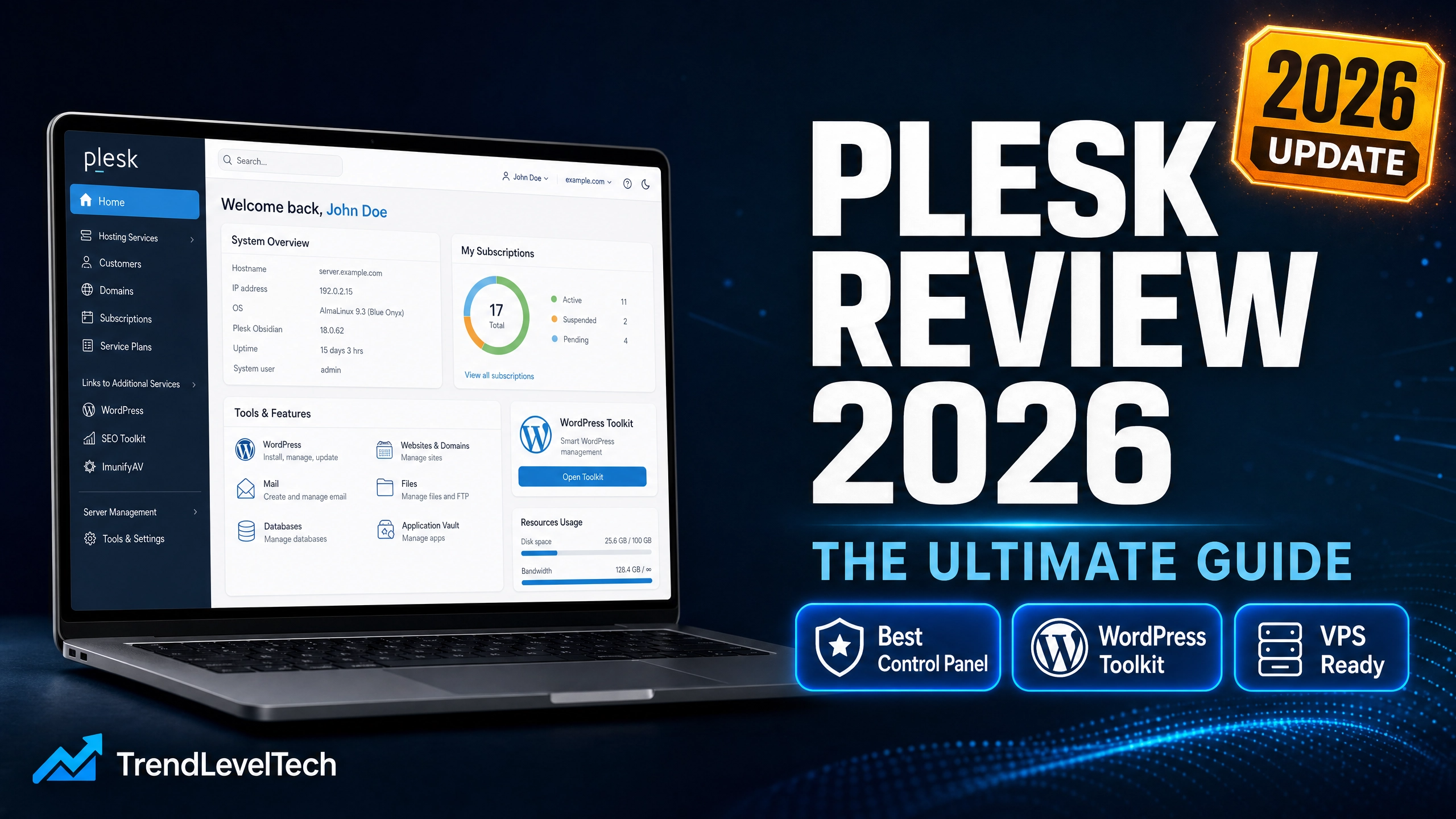
Plesk Review 2026: Pricing, Features & In-Depth Comparison (Plesk vs cPanel)
In the ever-evolving world of web server administration, finding a Control Panel that is both powerful and user-friendly remains a significant challenge for developers, IT professionals, and hosting providers. This Plesk Review is the definitive guide you need.
Plesk is not just a standard control panel — it is a comprehensive Server Management Platform built to streamline workflows, enhance security, and manage WordPress with unparalleled efficiency. We analyze Plesk Pricing, compare Plesk vs cPanel, and determine if it truly ranks among the Best Hosting Control Panels today. If you are also evaluating server options, see our Best Web Hosting for WordPress guide for context.
No credit card required • Full-featured trial
1. Plesk Overview: The Complete Server Management Platform
Plesk has firmly established its position in the hosting industry over many years. Unlike competitors that focus solely on one OS, Plesk supports both Linux and Windows environments — providing maximum flexibility for businesses with diverse infrastructures.
Built around the “One Dashboard” philosophy, Plesk delivers an intuitive, modern UI where every tool — domain management, databases, email, and security — is logically organized. Whether you are a Web Admin, Web Pro, or Web Host, Plesk has a tailored edition for your exact needs.

Plesk is one of the Best Hosting Control Panels available — modern interface, cross-platform support, and an extensive feature ecosystem. Particularly outstanding for WordPress management via WP Toolkit. Best suited for Web Developers, Agencies, and Hosting Providers.
2. Standout Features That Define Plesk
To understand why Plesk consistently ranks among the Best Hosting Control Panels, let’s explore its core feature ecosystem.
🔧 WP Toolkit: The Ultimate WordPress Management Tool
Plesk’s WP Toolkit goes far beyond 1-click installs — offering centralized management of all themes, plugins, and core updates from one screen. Staging & Cloning lets you test safely before going live. Smart Updates with AI runs automated regression testing on a staging environment before applying any update, ensuring your live site never breaks.

🔌 100+ Extensions Ecosystem
Integrate Docker for container management, support multiple languages (Node.js, Ruby, Python), and utilize built-in SEO Toolkits — all from the Plesk dashboard without any manual server configuration.
🔒 Robust Multi-Layered Security
Plesk includes built-in DNSSEC, automated Let’s Encrypt SSL, and a powerful Security Core with ModSecurity Rules from Atomicorp — forming a WAF that proactively blocks SQL Injection, XSS, and other common attack vectors.
💻 Cross-Platform & Virtualization Support
Plesk supports both Windows Server and Linux (Ubuntu, Debian, CentOS, RHEL, CloudLinux, AlmaLinux). Integrated SolusVM virtualization lets you manage VPS instances directly from within Plesk — a truly comprehensive infrastructure solution.
3. Pros & Cons
| ✓ Pros | ✗ Cons |
|---|---|
| Modern, Intuitive Interface — Much easier to navigate than cPanel or DirectAdmin. | Higher Cost — For 1–2 sites, the licensing fee can feel steep. |
| Windows & Linux Support — Unique cross-platform flexibility no other major panel offers. | Resource Intensive — Requires decent VPS specs due to its rich GUI. |
| Outstanding WP Toolkit — Best WordPress management on any control panel today. | Learning Curve — Vast feature set takes time to fully explore. |
| Robust Security — ModSecurity WAF, Let’s Encrypt, DNSSEC built in. | Add-on Costs — Some premium features require higher-tier plans. |
| 100+ Extensions — Docker, Node.js, Python, SEO tools natively supported. |
4. Getting Started with Plesk: Beginner’s Guide
Despite its massive feature set, Plesk remains approachable for newcomers. Here is a quick-start workflow:
| # | Action | Description |
|---|---|---|
| 1 | Login | Access server-ip:8443. The One Dashboard shows CPU, RAM, disk usage, and your domain list. |
| 2 | Add Domain | “Websites & Domains” → “Add Domain” → enter domain, select hosting type, set document root. |
| 3 | Free SSL | Under “SSL/TLS Certificates”, install Let’s Encrypt with one click — auto-renewed. |
| 4 | Install WordPress | WP Toolkit → “Install” → fill admin details. Plesk auto-creates the database and completes setup. |
| 5 | Manage Email | Create business emails under “Mail”, set quotas, configure anti-spam in minutes. |
5. Plesk vs cPanel: The Battle of the Giants
The classic rivalry — Plesk vs cPanel — pits two industry giants with different design philosophies against each other. Here is a data-driven comparison:

| Criteria | Plesk | cPanel + WHM | Verdict |
|---|---|---|---|
| OS Support | Windows + Linux (Ubuntu, Debian, CentOS, RHEL, CloudLinux…) | Linux Only | Plesk Wins |
| UI / UX | Modern, clean, task-oriented | Traditional, icon-heavy scrolling page | Plesk Wins |
| WordPress Mgmt | Full WP Toolkit (Staging, Cloning, Smart Updates AI) | Basic WP Toolkit (provider-dependent) | Plesk Wins |
| Modern Tech | Built-in Docker, Git, Node.js, Ruby | Slower adoption of new technologies | Plesk Wins |
| Pricing (2026) | From 12.04€/mo (VPS) | From ~$15/mo (VPS) | Comparable |
| Community | Growing fast, dominant in Europe | Massive community, Shared Hosting standard | cPanel Wins |
Bottom line: Choose Plesk for Windows support, modern UI, Docker/Node.js development, or WordPress ecosystem management. Choose cPanel only if you need a familiar legacy Linux environment with a massive community.
6. Notable Plesk Alternatives
While Plesk excels, here are the top Plesk Alternatives worth evaluating based on your budget and requirements:
Across all Plesk Alternatives, Plesk remains the most comprehensive solution for professionals needing a reliable, feature-rich server management platform. For a broader look at server software choices, read our Complete VPS Hosting Guide.
7. Plesk Pricing: Which Edition is Right for You?
A critical part of this Plesk Review is the Plesk Pricing breakdown. Plans are categorized by environment (VPS or Dedicated) and usage needs:

- Sitejet Builder
- WP Toolkit SE
- Basic server mgmt
- Let’s Encrypt SSL
- File Manager & DB
- Full WP Toolkit
- Staging & Cloning
- Smart Updates AI
- Subscription Mgmt
- PostgreSQL & MSSQL
- All Web Pro features
- Reseller Management
- Client Management
- Service Plans
- Priority 24/7 Support
💡 Savings Tip: Choose annual billing to save 8% instantly.
8. Frequently Asked Questions
9. Conclusion: Does Plesk Deserve the Top Spot?
Throughout this Plesk Review, it is clear that Plesk is not just a standard Control Panel — it is a truly comprehensive server management ecosystem. With its intuitive interface, cross-platform support, and the unmatched power of WP Toolkit, Plesk rightfully claims its spot among the Best Hosting Control Panels in 2026.
While Plesk Pricing is slightly higher than budget alternatives, the automation tools and time savings more than justify the cost. If you are a Web Agency, a modern Developer, or anyone who wants professional, secure, and effortless server management, Plesk is the right investment.
Plesk is the #1 choice for Web Developers, Agencies, and Hosting Providers needing a modern, comprehensive server management solution. The WP Toolkit with Smart Updates AI is its biggest differentiator — no competitor currently matches it.
10. Who Should Use Plesk in 2026?
Based on our in-depth Plesk Review, here is a clear recommendation matrix to help you decide:
| User Type | Recommended Plesk Edition |
|---|---|
| Freelance Developer / Small Agency | Web Admin — 10 domains, core tools, affordable entry point |
| Growing Agency / WordPress Power User | Web Pro — Full WP Toolkit, Staging, Smart Updates AI |
| Hosting Provider / Reseller | Web Host — Unlimited domains, client management, reseller tools |
| Enterprise / Windows Server User | Any edition on Dedicated — cross-platform, Docker, full virtualization |
Whether you are managing a single VPS or an entire fleet of dedicated servers, Plesk scales seamlessly. Its server management platform approach — combining web hosting control panel, security hardening, WordPress automation, and developer tools — makes it the most complete solution in the best hosting control panels category for 2026.
Ready to Upgrade Your Server Management?
Experience the power of Plesk yourself — full-featured 14-day free trial, no credit card, no commitment required.
👉 Start Your Free Plesk Trial Now✓ No credit card • ✓ Full features for 14 days • ✓ Cancel anytime